Need help?
Do you have a question about the Microlab M-100 and is the answer not in the manual?
Explains the meaning of graphical symbols like lightning flash and exclamation point used in the manual.
Provides a comprehensive list of warnings and instructions for safe operation, maintenance, and installation.
Troubleshooting steps for when the power LED on the speaker system does not light up.
Guidance on resolving issues where no sound is produced by the speaker system.
Steps to address problems with one or more satellite speakers not producing sound.
Explanation and solution for static noise experienced when turning the volume knob.
Information on the types of playback devices compatible with the speaker system.
Advice on how to resolve sound distortion problems, often related to volume levels.
Recommendations for optimal placement of the speakers, including near TVs.
Detailed technical specifications for the amplifier, including power output and distortion.
Information on the types and power ratings of the tweeter and bass drivers.
Details on the input and output connectors for audio sources and speakers.
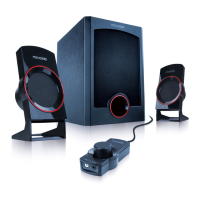
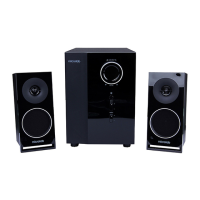
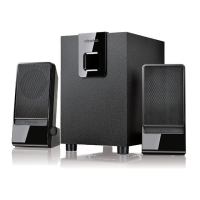
Highlights key features of the 2.1 speaker system, such as built-in amplifier and sound quality.
Lists all the items included in the speaker system package.
Illustrations showing the front and rear panels of the speaker system components.
Visual guide on how to connect the speakers to various audio sources and power.
Step-by-step instructions for correctly installing and connecting the speaker system.
Guidance on how to power on, adjust volume, and use the speaker system effectively.
 General
| Product color | Black |
|---|---|
| RMS rated power | - W |
| Recommended usage | PC |
| Audio output channels | 2.1 channels |
| Amplifier output power | 10 W |
| Amplifier frequency range | 40 - 18000 Hz |
| Signal-to-Noise Ratio (SNR) | 70 dB |
| Amplification device included | Yes |
| Satellite speaker type | 2-way |
| Number of satellite speakers | 2 |
| Satellite speakers RMS power | 3 W |
| Satellite speaker tweeter diameter | 2.5 \ |
| Satellite speaker dimensions (WxDxH) | 90 x 168 x 85 mm |
| Subwoofer dimensions (WxDxH) | 145 x 227 x 180 mm |
| Subwoofer driver diameter (imperial) | 4 \ |
| Power source | AC |
| AC input voltage | 100-240 V |
| AC input frequency | 50 - 60 Hz |
| Cables included | Audio (3.5mm) |
 Weight and Dimensions
| Set weight | 1900 g |
|---|

 To Next Page