Need help?
Do you have a question about the Microlab FC10 and is the answer not in the manual?
To reduce the risk of electric shock, do not dismantle the product and do not expose to rain or moisture.
Alerts to presence of dangerous voltage and important operating/maintenance instructions.
Advanced DSP technology, stereo effects, side panel controls, easy connectivity for various devices.
Lists included items: FC10 speakers, power adapter, audio cable, user manual.
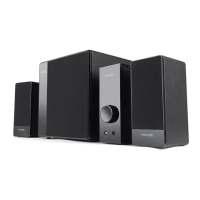
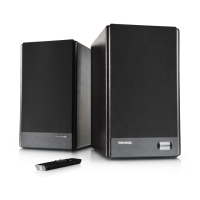
Diagram showing the front appearance of the speakers.
Diagrams illustrating the connections and ports on the rear of the speakers.
Visual guide for connecting the speakers to playback devices and power.
Guidance on arranging speakers for optimal sound experience.
Details on power output, frequency response, and signal-to-noise ratio.
Specifications for tweeter and woofer types and power ratings.
Information on audio output and input connections.
Explains LED behavior during volume changes.
Troubleshooting steps for when no audio is produced.
Advice for resolving audio dropouts or interruptions.
Indicates the meaning of the LED light on the main speaker.
Lists compatible playback devices for the speaker system.
Tips for improving audio clarity and reducing distortion.
Guidance on positioning speakers for optimal performance and magnetic shielding.
 General
| Input Impedance | 10 kΩ |
|---|---|
| Type | 2.1 |
| Frequency Response | 20kHz |
| Harmonic Distortion | <0.3% |
| Power Supply | DC 12V |
| Input | 2RCA |
| Controls | Volume |

 To Next Page