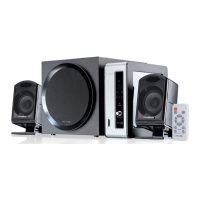
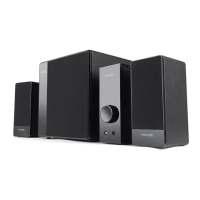
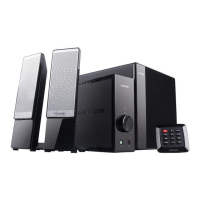
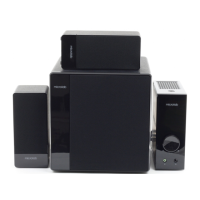
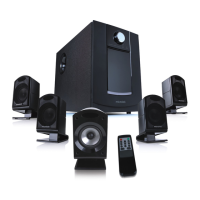
The Microlab FC730 is a multimedia speaker system designed to deliver a rich and immersive audio experience, particularly for music and home entertainment. It features a 5.1+1 system, indicating a 5.1 channel speaker setup with an additional dedicated amplifier unit. This configuration aims to achieve optimal acoustic effects when connected to audio sources with AC-3 or DTS decoders.
Function Description
The system's core functionality revolves around its ability to reproduce sound with high fidelity and powerful bass. The amplifier unit serves as the central control hub, featuring a digital display, input selection, volume control, and power management.
Front View of the Amplifier:
- DIGITAL DISPLAY: Provides visual feedback on the system's status and settings.
- INPUT SELECT: A button to toggle between "Aux Input" (stereo) and "5.1 Input" modes, allowing connection to various audio sources.
- VOLUME CONTROL: A rotary knob to adjust the overall speaker system volume. It can be turned anti-clockwise to minimum for quiet listening or adjusted to a demanding level for louder output.
- POWER: A two-position switch (key) to turn the system ON (press down) or OFF (press up).
Back View of the Amplifier:
- AUX INPUT (RCA jacks): For connecting stereo audio sources.
- 5.1 INPUT (RCA jacks): For connecting multi-channel audio sources, such as a computer's 5.1 sound card or a DVD player.
- AUDIO OUTPUT (RCA jacks): For connecting the subwoofer, front left/right, center, and rear left/right speakers.
- POWER CORD: The connection point for the main power supply.
- FUSE: A protective fuse to prevent damage from power surges.
Remote Control:
The system includes a remote control for convenient operation, offering functions such as:
- Stand by: Puts the system into a low-power standby mode.
- Input select: Changes the audio input source.
- Surround fine adjustment: Allows for fine-tuning of the surround sound channels.
- Main volume control: Adjusts the overall system volume.
- Mute: Silences the audio output.
- Output mode: Likely switches between different audio output presets or modes.
- Bass fine adjustment: Allows for precise control over the bass level.
- Center fine adjustment: Enables fine-tuning of the center channel volume.
- Balance adjustment: Adjusts the left/right audio balance.
Important Technical Specifications
Amplifier Specification:
- AC IN: 220V-240V~ 50Hz 380mA (Note: Power supply specifications may vary by region).
- Power output (RMS): 24W (subwoofer) + 12W (center) + 12Wx4 (satellites) = 84W total RMS.
- Frequency response:
- Woofer: 30Hz-140Hz
- Center: 140Hz-20kHz
- Satellite: 140Hz-20kHz
- Sensitivity Input: 430mV
- Distortion: <0.3% (at 1W 1KHz)
- Separation: >40 dB
- S/N (Signal-to-Noise Ratio): >70 dB
Driver Units:
- Woofer: 6.5" (magnetically shielded)
- Center: 2.5" (magnetically shielded)
- Satellite: 2.5"x4 (magnetically shielded)
Audio Input:
- Aux Input: RCA jacks
- 5.1 Input: RCA jacks
Audio Output:
Product Size (DxWxH):
- Amplifier: 305x89x250mm
- Woofer: 259x241x280mm
- Center: 135x265x112mm
- Satellite: 135x112x195mm
Usage Features
5.1+1 System: The FC730 is designed to provide a perfect acoustic effect when connected to audio sources with AC-3 or DTS decoders, offering an immersive surround sound experience.
6.5" Subwoofer: Features a 6.5" subwoofer unit with a dual Sr Magnet system. It utilizes a costly low-Q value, long-stroke program design, which contributes to quick and high-resolution low-frequency quality.
eAirbass Technology: This proprietary technology aims to enhance bass without distortion. It incorporates a brand-new airflow passage design for clearer sound and an extended frequency range. Electronic control technology ensures precise bass signal selection, crystal clear high notes reproduction, and synchronous phase control for accurate bass delivery, addressing issues like slow frequency response. The result is distortion-free, lifelike, and rigorous deep bass.
Design for Music: Microlab's R&D philosophy emphasizes a music-oriented design, drawing inspiration from European musical culture. This focus aims to deliver a high-quality listening experience for various musical tastes.
System Connection:
The system can be connected to various audio sources:
- VCD/DVD Players (Stereo): Use double RCA audio cables. Connect one end to the L/R "Aux Input" jacks on the amplifier and the other end to the VCD/DVD's audio output jacks.
- PC Sound Card or Other Audio Equipment (5.1 Channel): Use 3.5mm-2RCA audio cables (3pcs). Connect the RCA ends to the appropriate "5.1 Input" jacks (front left/right, center, rear left/right) on the amplifier, and the other ends to the corresponding audio output jacks on the sound card or other audio equipment.
- Speaker Connections: Connect the woofer, front left/right, center, and rear left/right speaker cables to their respective audio output jacks on the back of the amplifier.
- Power Connection: After all audio and speaker cables are connected, plug the power cord into a suitable AC outlet. The socket-outlet should be easily accessible.
Maintenance Features
Safety Instructions:
- No User-Serviceable Parts: The apparatus should not be dismantled by the user to reduce the risk of electric shock. Servicing should be referred to qualified personnel.
- Power Cord Protection: Power-supply cords should be routed to prevent them from being walked on or pinched.
- Ventilation: The product must be properly ventilated and not placed on surfaces that obstruct airflow (e.g., beds, sofas, tablecloths).
- Heat: Keep the product away from heat sources and naked flames.
- Water and Moisture: Do not expose the product to rain, dripping, splashing, or excessive moisture. Avoid using it near water sources.
- Object and Liquid Entry: Do not push objects into openings or spill liquids on the product.
- Cleaning: Unplug the product before cleaning. Use a dry cloth for the cabinet. If using an aerosol cleaning spray, spray it onto the cloth first, not directly onto the cabinet. Avoid disturbing the drive units.
- Attachments/Accessories: Only use attachments or accessories recommended by the manufacturer.
- Non-use Periods: Unplug the power cord during lightning storms or when the apparatus is left unused for long periods.
- Servicing: Do not attempt to service the product yourself. Refer all servicing to qualified service personnel.
- Replacement Parts: Ensure service technicians use replacement parts specified by the manufacturer or parts with the same characteristics.
- Mains Fuses: Use only fuses of the correct type and rating for continued protection against fire hazards.
- Volume Control: Avoid turning up the volume excessively with low-level inputs or no audio signals, as this can damage the speakers when a peak level section is played.
- Power Disconnection: The power cord is the only means of completely disconnecting the product from the power supply. Ensure the wall outlet or power cord entry remains freely accessible.
Troubleshooting:
The manual provides a basic troubleshooting guide for common issues:
- Power LED won't light up: Check if the system is powered on and the power plug is well connected.
- No Sound: Check if the audio source is working, audio and speaker cables are connected, and the volume is at the right level.
- One or more satellite no sound: Check if the satellite cable is well connected.
- No Bass: Check if the Bass Volume is at the right level.
- Sound is distorted: Check if the volume is at a lower level.
- Remote control not working: Check the battery in the remote control.
- If problems persist, contact the distributor or ask for professional service.
Unpacking:
The manual provides instructions for safely unpacking the system, recommending retaining the packing for future use. The package contents include:
- Amplifier: 1pc
- Woofer speaker: 1pc
- Center speaker: 1pc
- Satellite speakers: 4pcs
- 3.5mm-2RCA audio cables: 3pcs
- 2RCA-2RCA audio cable: 1pc
- User's manual: 1pc
Environmental Considerations:
The highest environmental temperature suitable for this product is 40°C.

 Need help?
 General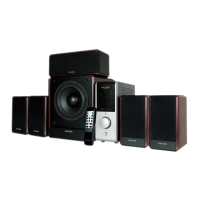

 To Next Page