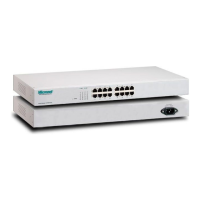
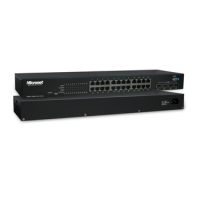
The Micronet SP624EA EtherFast 10/100M Switch is a powerful, high-performance Ethernet switch designed for faster and easier network operations. This device is a plug-and-play solution, meaning it requires no software configuration, allowing users to immediately utilize its features by simply connecting cables and powering it on.
Function Description
The SP624EA switch facilitates network connectivity by providing 24 RJ-45 ports, each capable of 10 and 100Mbps auto-negotiation. It operates in a store-and-forward switching mode, which ensures low latency and eliminates network errors such as runt and CRC error packets. This mode enhances network reliability by processing and verifying data integrity before forwarding. The switch supports full-duplex operation, allowing simultaneous transmission and reception of frames without collisions, effectively doubling the network bandwidth. Its auto-uplink (MDI / MDI-X) function on all ports simplifies switch interconnections, enabling the use of either straight or crossover cables for connecting to other switches or network devices. The diagnostic LEDs on the front panel provide real-time operating status for individual ports and the entire system, aiding in quick troubleshooting and monitoring.
Important Technical Specifications
- Model Number: SP624EA
- Standards: Complies with IEEE802.3 (10Base-T), IEEE802.3u (100Base-TX), and IEEE802.3x (Flow Control).
- Interface: 24 RJ-45 ports, supporting 10/100Mbps speeds.
- Cable Connections:
- 10BASE-T: Category 3, 4, 5 UTP/STP
- 100BASE-TX: Category 5 UTP/STP
- Network Speed: 10/100Mbps & Full/Half duplex mode with auto-detection.
- Uplink: Auto Uplink (Auto MDI / MDI-X) on all ports.
- Switch Fabric: 4.8Gbps, ensuring high-speed data transfer across all ports.
- Memory Buffer: 320 KByte.
- MAC Address Table: 8K entries, allowing for efficient address learning and forwarding.
- Filtering/Forwarding Rate:
- 10Mbps: 14,880pps/14,880pps
- 100Mbps: 148,800pps/148,800pps
- Emission: FCC Class A, CE compliant.
- Operating Temperature: 0° ~ 55°C (32° ~ 131°F).
- Operating Humidity: 10% - 95% (Non-condensing).
- Dimension & Weight: 267 x 161 x 42 mm, 1.3kg.
- Power Supply: 100 - 240V AC, 50/60 Hz (Full range internal power supply).
Usage Features
The SP624EA switch is designed for ease of use and robust performance in various network environments.
- Plug-n-Play Operation: No software configuration is required, making installation straightforward. Users simply connect the network cables and power on the device.
- Auto-Negotiation: Each port automatically detects the optimal speed (10/100Mbps) and mode (Full/Half Duplex) of the connected device, ensuring compatibility and efficient performance without manual intervention.
- Auto-Uplink (MDI / MDI-X): This feature eliminates the need for cross-over cables when connecting to other switches or hubs, as any port can be used for switch-to-switch connections with a straight cable.
- Non-Blocking, Full Wire Speed: The switch forwards and filters packets at full wire speed, ensuring maximum throughput and minimal latency across all ports simultaneously.
- Universal Internal Power Supply: The integrated power supply supports a wide range of AC voltages (100-240V AC), making it suitable for use in various regions without external power adapters.
- Wall-Mount Accessories: Included wall-mount accessories provide flexible installation options, allowing the switch to be securely mounted to a wall to save space.
Maintenance Features
The SP624EA switch incorporates features that simplify monitoring and help ensure continuous operation.
- Diagnostic LEDs: The front panel features LEDs for "Power" and "LINK/ACT" for each port.
- Power LED:
- Steady Green: Power is on.
- Off: Power is off.
- LINK/ACT LED:
- Steady Green: A valid link is established.
- Off: No link is established.
- Blinking Green: Transmitting or receiving data.
These LEDs provide immediate visual feedback on the operational status of the switch and its connections, aiding in quick diagnosis of network issues.
- Robust Design: The device is built to comply with electromagnetic compatibility standards (EN 55022 class A for ITE, Council Directive 89/336/EEC), ensuring reliable operation in various environments.
- Error Elimination: The store-and-forward switching mode actively eliminates network errors like runt and CRC error packets, contributing to a more stable and reliable network.
- Surge Protection Recommendation: While not a built-in feature, the manual recommends installing a surge suppression device or an Un-interrupted Power Supply (UPS) to prevent equipment damage and downtime, suggesting a proactive approach to maintenance and protection.
The Micronet SP624EA is a reliable and efficient solution for expanding or upgrading small to medium-sized networks, offering high performance and ease of management.

 Need help?

 To Next Page
 General