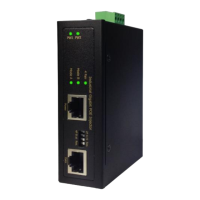
Power connection
This unit is equipped with POE capability to deliver 30 W and 60 W POE power. The provided 4
pin terminal block can be connected with 48 VDC to 56 VDC power source. Always ensure
your input voltage is within this supported voltage range.
To make power connection – Follow the printed polarity for V+, V- and ground. Connect
positive wire to V+, connect negative wire to V and connect ground/earth to grounding screw
as shown. For power redundancy, this unit can be connected to two power inputs.
+V1 is for power input one connection
+V2 (SW) is for power input two connection
Din-rail bracket
Two wall mount brackets
4-pin terminal block
Installation package
This unit can be installed by Din-rail mounted or wall-mounted. Din-rail brackets and wall-
mounted bracket are included at delivery.
Connecting procedure
STEP 1: Connect ground/earth to grounding screw.
STEP 2: Pull out 4-pin terminal block in the included mounting kit package.
STEP 3: Connect power wire to V1+, V1-, V2+, and V2- with correct polarity.
Possibly connect alarm relay.
STEP4: Plug the connector into terminal block socket shown above.
WARNING – Always SHUT OFF power source to connect power wire.
WARNING – Any exceeded input voltage will not make this unit function and may damage this
unit.
(SW)
+ V1 - + V2 -


 To Next Page
 Loading...