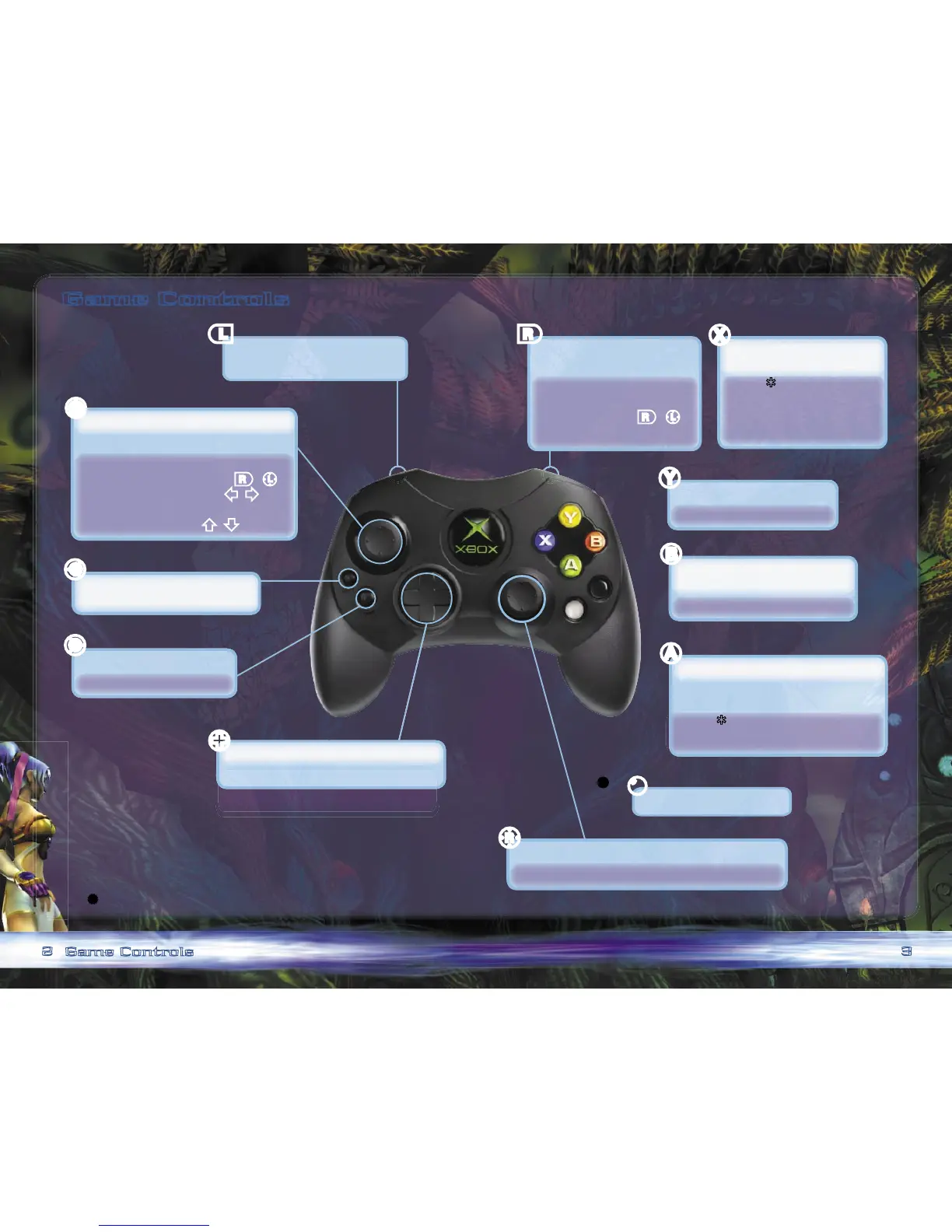
Game Controls
Note: To adjust controller settings, select Options from the
Main
menu.
*
See pg. 18 for more info on combo moves.
>
<
/
b
b
Game Controls
In-game: Snap camera
behind character.
Combat: Raise shield (melee);
Roll/Back ip
(melee;
r
+
L
);
Fire a shot (ranged).
In-game: Toggle quickly between
1st/3rd-Person views.
Menus: View more info on
current selection.
Combat:* Launch horizontal
attack (melee);
Cycle through
weapons (ranged).
In-game: Display Quick menu.
Combat: Display Quick menu.
Menus: Cancel selection;
Return to previous menu.
Combat: Clear multiple enemies.
Menus: Perform action.
In-game: Talk to another character;
Check an item.
Combat:* Launch vertical attack (melee);
Fire a shot (ranged).
In-game: Switch characters.
In-game: Toggle between 1st/3rd-Person views (click).
Combat: Aim at an enemy (1st-Person).
Menus: Scroll through options.
In-game: Use a Quickshot item (see pg. 17).
In-game: Display Main menu.
Combat: Pause game.
Menus: Cancel selection;
Return to previous menu.
Menus: Scroll through options.
In-game: Move character.
Combat: Move character (melee);
Roll/Back ip (melee;
r
+
L
);
Strafe (1st-Person;
1
/
5
);
Move forward/backward
(1st-Person;
7
/
3
).
L
l
r
X
Y
B
A
R
?



 To Next Page