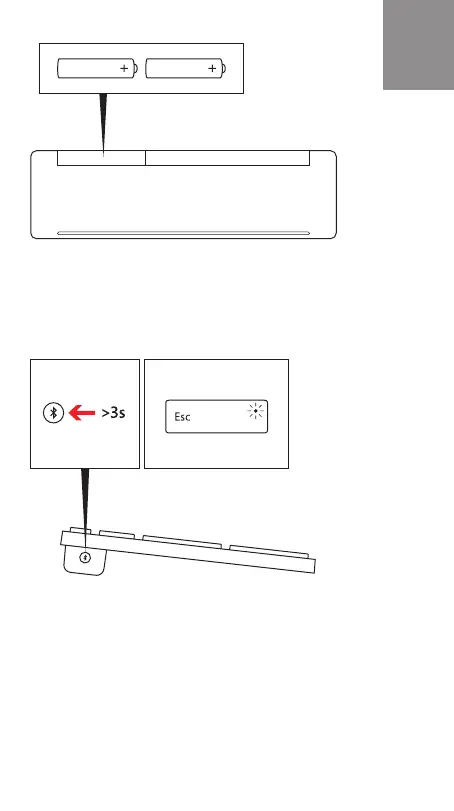
Slide battery door to open
Insert batteries in the same direction
Pair your keyboard with your Windows device:
A: On the underside of the keyboard, press and hold the
binding button for 3 seconds. Blinking LED light indicates
pairing mode.
B. Go to : Settings > Change PC Settings > PC and
Devices > Bluetooth. Select Designer Keyboard > Press
Pair, enter passkey at prompt.
Follow manufacturers’ instructions for other devices.
EN


 To Next Page