Skub batteridækslet for at åbne
Isæt batterierne i samme retning
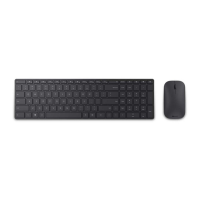
Par dit tastatur med din Windows-enhed:
A. Hold parringsknappen på siden af tastaturet nede i 3 sekunder.
Et blinkende LED-lys indikerer Bluetooth-tilstand.
B. Gå til: Indstillinger > Skift pc-indstillinger > Pc og enheder
> Bluetooth. Vælg Designer Keyboard > tryk på Par, og indtast
adgangsnøglen ved anmodning.
Følg producentens anvisninger for andre enheder.
DA


 To Next Page