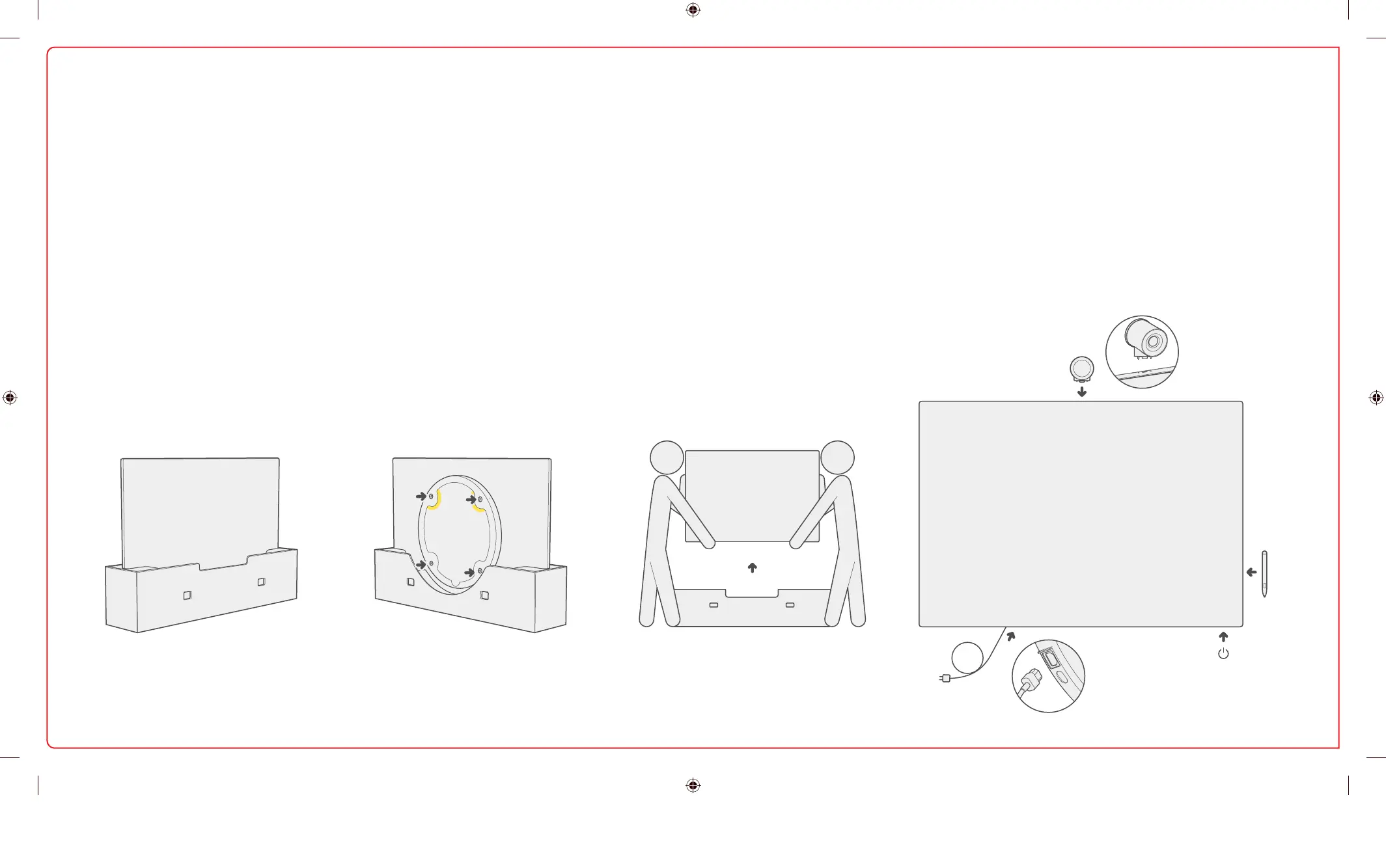
Set up your mount Àrst.
Leave your Surface Hub in the box
until the mount is set up and
mounting hardware is applied.
Mount is not included.
Your mount is sold separately.
1 2 3 4
Attach hardware to the Surface Hub.
Mounting hardware and speciÀc
instructions are found in the box for
your mount.
Remove the instructional label before
mounting.
Get someone to help you lift and
mount your Surface Hub.
Make sure to hold and lift the Surface
Hub from the bottom.
Attach accessories and power on. Install accessories and
attach power cable as shown. See guides on the screen cling.
Remove cling wrap from the screen. Press the power button
to power on.
Setup your Surface Hub 2S
1-139217.indd 4 06.03.19 04:02


 To Next Page