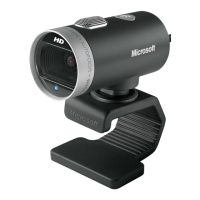
Need help?
Do you have a question about the Microsoft LifeCam Cinema 6CH-00001 and is the answer not in the manual?
Install the necessary software for full webcam functionality.
Plug the webcam into a USB port when prompted.
Place the webcam on top of your screen or on a flat surface.
Use the LifeCam video image to help aim the webcam accurately.
Visit www.microsoft.com/hardware for the latest information and updates.
Consult the Product Guide for important safety and environmental information.
 General
| Max Resolution | 1280 x 720 |
|---|---|
| Video Capture Resolution | 1280 x 720 |
| Frame Rate | 30 fps |
| Focus Type | Auto focus |
| Microphone | Yes |
| Interface | USB 2.0 |
| Connection | Wired |
| Lens | Glass |
| Microphone Technology | Noise Canceling |
| Cable Length | 6 feet |
| Compatibility | Windows 7, Windows Vista, Windows XP |
| Resolution | 720p HD |


 To Next Page