4
english
ConneCt Your headset to
Your Controller
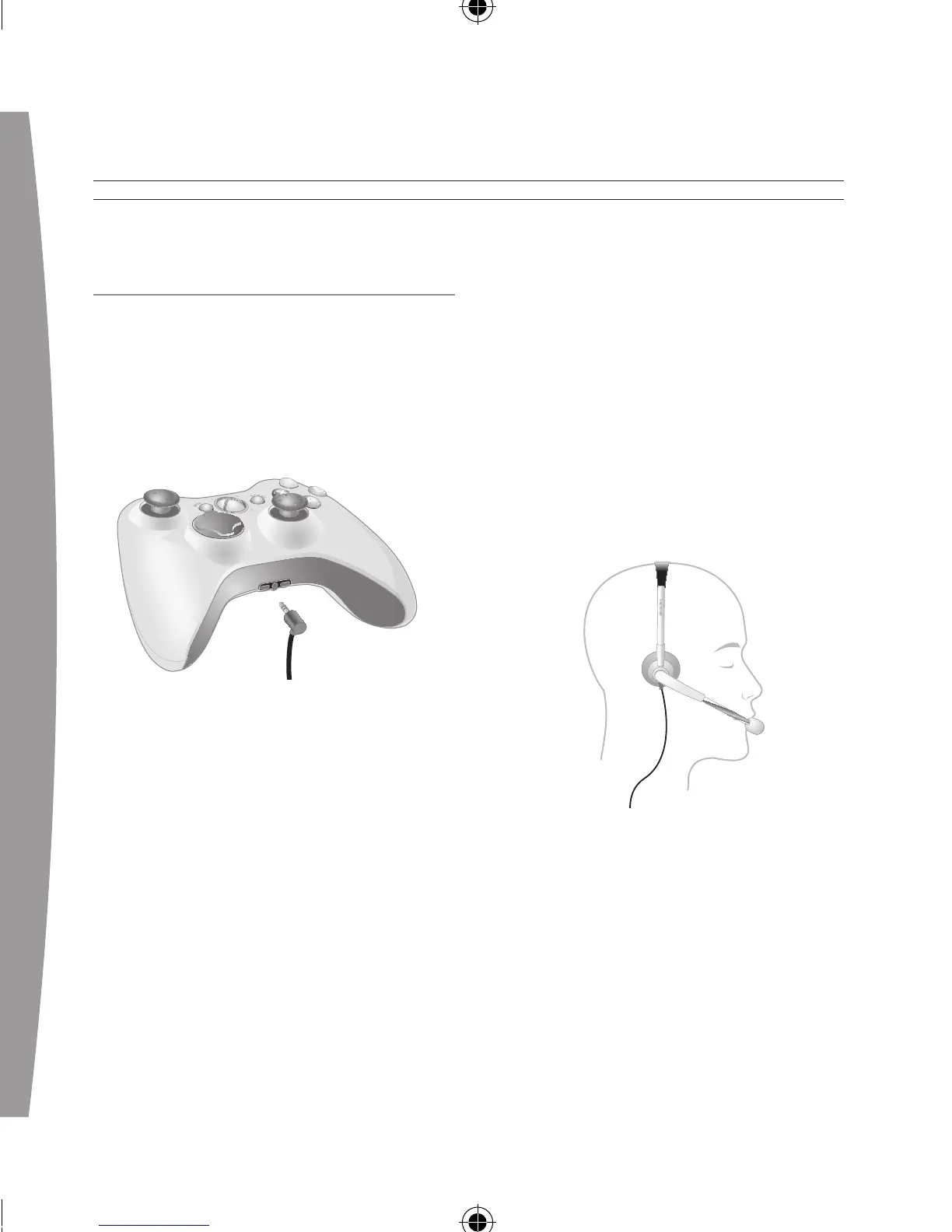
1 Turn down the volume by rotating
the volume control all the way to
the left. Insert the 2.5-mm
headset connector into the
controller expansion port at the
bottom of your game controller.
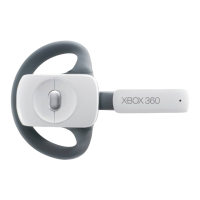
2 Put on your headset and adjust
the microphone.
Note
Correct placement of the headset
and microphone is critical to using
your headset successfully. Make
sure the headset goes over the
top of your head, not around the
back of your head. You may rotate
the microphone and earpiece to
your right or left side. Position the
microphone about one inch (2.54
cm) from your mouth and off to
o
ne side. This will ensure that it
doesn’t transmit your breathing
i
nto a chat session. As you adjust
the microphone, make sure the
microphone opening is pointed
towards your mouth and not
rotated on its axis.
3 Now the headset is ready for a
game or chat session. Start your
game or chat and turn the volume
up to a comfortable level.


 To Next Page