5
(d) MICROSOFT’SRESPONSIBILITYTOREPAIRORREPLACE
YOURXBOXONEORACCESSORY,ORTOREFUNDTHE
PURCHASE PRICE, IS YOUR EXCLUSIVE REMEDY.
(e) If Your Xbox One or Accessory malfunctions after the Express
WarrantyPeriod,andallstatutorywarrantyperiodshave
expired, there is no warranty of any kind. After the Express
WarrantyPeriod,andallrelevantstatutorywarrantyperiods
have expired, Microsoft may charge You a fee for its efforts
to diagnose and service any problems with Your Xbox One
or Accessory.
5. Warranty Exclusions
MicrosoftisnotresponsibleandthisExpressWarrantydoesnot
apply if Your Xbox One or Accessory is:
(a) damaged by use with products not sold or licenced by
Microsoft (including, for example, games and accessories
not manufactured or licenced by Microsoft, and “pirated”
games, etc.);
(b) used for commercial purposes (including, for example, rental,
pay-per-play, etc.);
(c) opened, modified, or tampered with (including, for example,
any attempt to defeat any Xbox One or Accessory technical
limitation, security, or anti-piracy mechanism, etc.), or its
serial number is altered or removed;
(d) damaged by any external cause, whether by You or someone
else using Your Xbox One or Accessory, including, for example:
• bybeingdropped;
• misuse(includinguseoutdoors),abuse,negligence,or
accident;
• mishandling;
• damageduringshipment,exceptfromMicrosoftoran
authorised retailer to You;
• exposedtoliquid;
• usedwithinadequateventilation;
• scratched,dented,etc.orshowsothercosmeticdamage;
• failuretofollowinstructionsintheinstructionmanualfor
the Xbox One or Accessory; or
(e) repaired by anyone other than Microsoft.
6. EXCLUSION OF CERTAIN DAMAGES
MICROSOFTISNOTRESPONSIBLEFORANYINDIRECT,
INCIDENTAL,SPECIAL,ORCONSEQUENTIALDAMAGES;ANY
LOSSOFDATA,PRIVACY,CONFIDENTIALITY,ORPROFITS;OR
ANYINABILITYTOUSEYOURXBOXONEORACCESSORYTOTHE
MAXIMUMEXTENTPERMITTEDBYLAW.THESEEXCLUSIONS
APPLYEVENIFMICROSOFTHASBEENADVISEDOFTHE
POSSIBILITY OF THESE DAMAGES. Some countries do not
allow the exclusion or limitation of incidental or consequential
damages, so this limitation or exclusion may not apply to You.
7. Additional Terms
If You attempt to defeat or circumvent any Xbox One or Accessory
technical limitation, security, or anti-piracy system, You may
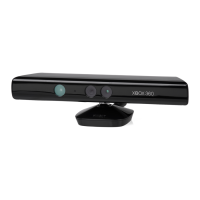
cause Your Xbox One, Kinect sensor, or Accessory to stop working
permanently. You will also to the maximum extent permitted by law:
(a) VoidYourExpressWarranty;
(b) Void Your statutory warranty; and/or
(c) Make Your Xbox One or Accessory ineligible for authorised
repair.
8. Choice of Law
ThiswarrantyisvalidonlyinAustraliaandinNewZealand.In
Australia, this warranty is governed by and is to be construed in
accordancewiththelawsapplicableinNewSouthWales.InNew
Zealand,thiswarrantyisgovernedbyandistobeconstruedin
accordancewiththelawsapplicableinNewZealand.
Microsoft’s address in Australia: Microsoft Pty. Limited
1EppingRoad,NorthRydeNSW2113,AUSTRALIA
Microsoft’saddressinNewZealand:Level5,22ViaductHarbour
Avenue,Auckland,NEWZEALAND
SOFTWARE LICENCE
The software licence terms for your Xbox One and Accessory
are available at xbox.com/xboxone/slt. By using your Xbox One
or Accessory, you agree to these software licence terms. Before
setting it up, please read these terms carefully. If you do not
accept the software licence terms, do not use your Xbox One or
Accessory. Return it unused to the retailer where you purchased
your Xbox One or Accessory or to Microsoft for a refund.
REGULATORY INFORMATION
• Notintendedforuseinmachinery,medicalorindustrial
applications.
• Anychangesormodificationsnotexpresslyapprovedby
Microsoft could void the user’s authority to operate this
device.
• ThisproductisforusewithNRTLListed(UL,CSA,ETL,etc.),
and/orIEC/EN60950-1compliant(CEmarked)Information
Technology equipment.
• Noserviceablepartsincluded.
• Thisdeviceisratedasacommercialproductforoperationat
+5ºC (41ºF) to +35ºC (+95ºF).
To comply with RF exposure requirements, the following
operating configurations must be satisfied: the antenna has been
installed by the manufacturer and no changes can be made.
The wireless devices must not be co-located or operating in
conjunction with any other antenna or transmitter. Except for
headset and handheld devices, wireless devices must be at least
20cm(8inches)betweentheantennaofthewirelessdeviceand
all persons.
For 802.11a and 802.11n 5GHz devices only
This product is restricted to indoor use only to reduce any
potential for harmful interference with licenced operation in the
5.15to5.25GHzfrequencyrange.
MicrosoftCorporation;OneMicrosoftWay;Redmond,
WA98052-6399;U.S.A.UnitedStates:(800)426-9400.
Radio and TV interference regulations
The Microsoft hardware device(s) can radiate radio frequency
(RF) energy. If not installed and used in strict accordance with the
instructions given in the printed documentation and/or onscreen
Help files, the device may cause harmful interference with other
radio-communications devices (for example AM/FM radios,
televisions, baby monitors, cordless phones, etc.). However, there
is no guarantee that RF interference will not occur in a particular
installation.
To determine whether your hardware device is causing
interference to other radio-communications devices, disconnect
the device from your computer or remove the device’s batteries
(for a battery-operated device). If the interference stops, it was
probably caused by the device. If the interference continues after
you disconnect the hardware device or remove the batteries, turn
the computer off and then on again. If the interference stopped
when the computer was off, check whether one of the input/
output (I/O) devices or one of the computer's internal accessory
boards is causing the problem. Disconnect the I/O devices one at
a time and see whether the interference stops.
If this hardware device does cause interference, try the following
measures to correct it:
• Relocatetheantennaoftheotherradio-communications
device (for example AM/FM radios, televisions, baby monitors,
cordless phones, etc.) until the interference stops.
• MovethehardwaredevicefartherawayfromtheradioorTV,
or move it to one side or the other of the radio or TV.


 To Next Page
 Loading...