EN
OPERATION INSTRUCTIONS
Control panel
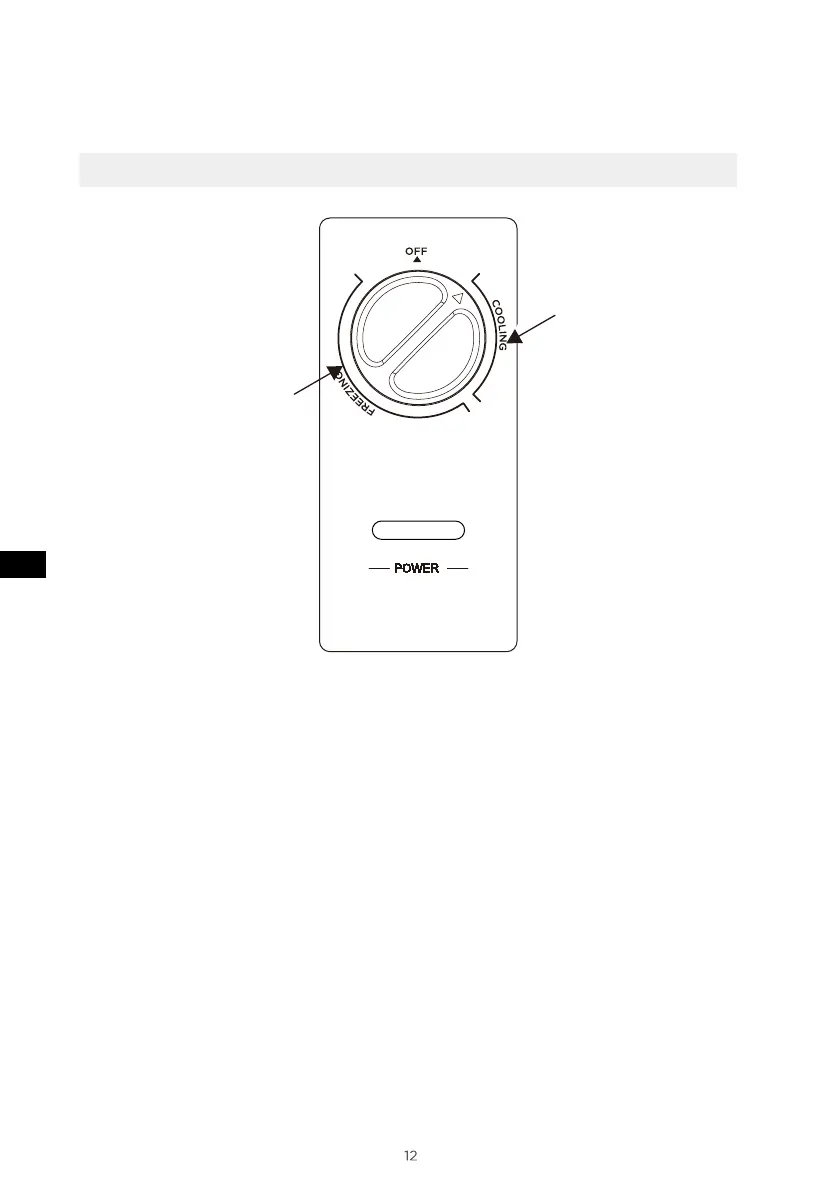
• After power on the “POWER” indicator light will be light( green ).
• When the temperature controller knob is turned counterclockwise,
the temperature inside the freezer increases;
• When the temperature controller knob is turned clockwise, the temperature
inside the freezer decreases;
• The area where the temperature controller knob points to "COOLING" is
the refrigeration area, and "FREEZING" is the frozen area;
• At the OFF position: turn off the freezer;
• Please refer to the schematic diagram to identify the “recommended gear”.
(The picture above is only for reference. The actual configuration will depend on
the physical product or statement by the distributor)
Recommended
gear
Recommended
gear


 To Next Page