12 13
1. For the first use, please charge for 12 hours;
Remote control will work when within 16 feet of the robot.
2. When the battery is low power, please charge it as soon as possible;
3. If you do not use the appliance for an extended period of time, fully charge the battery and
put it in a ventilated and dry place;
4. If the appliance is not used for more than 3 months, charge the appliance for 12 hours.
NOTE
NOTE
a. Before using remote, insert the 2 included AAA batteries. Remove back battery cover and insert
in correct orientation.
b. To prevent the robot from accidentally falling down stairs, there is no backwards direction.
NOTE
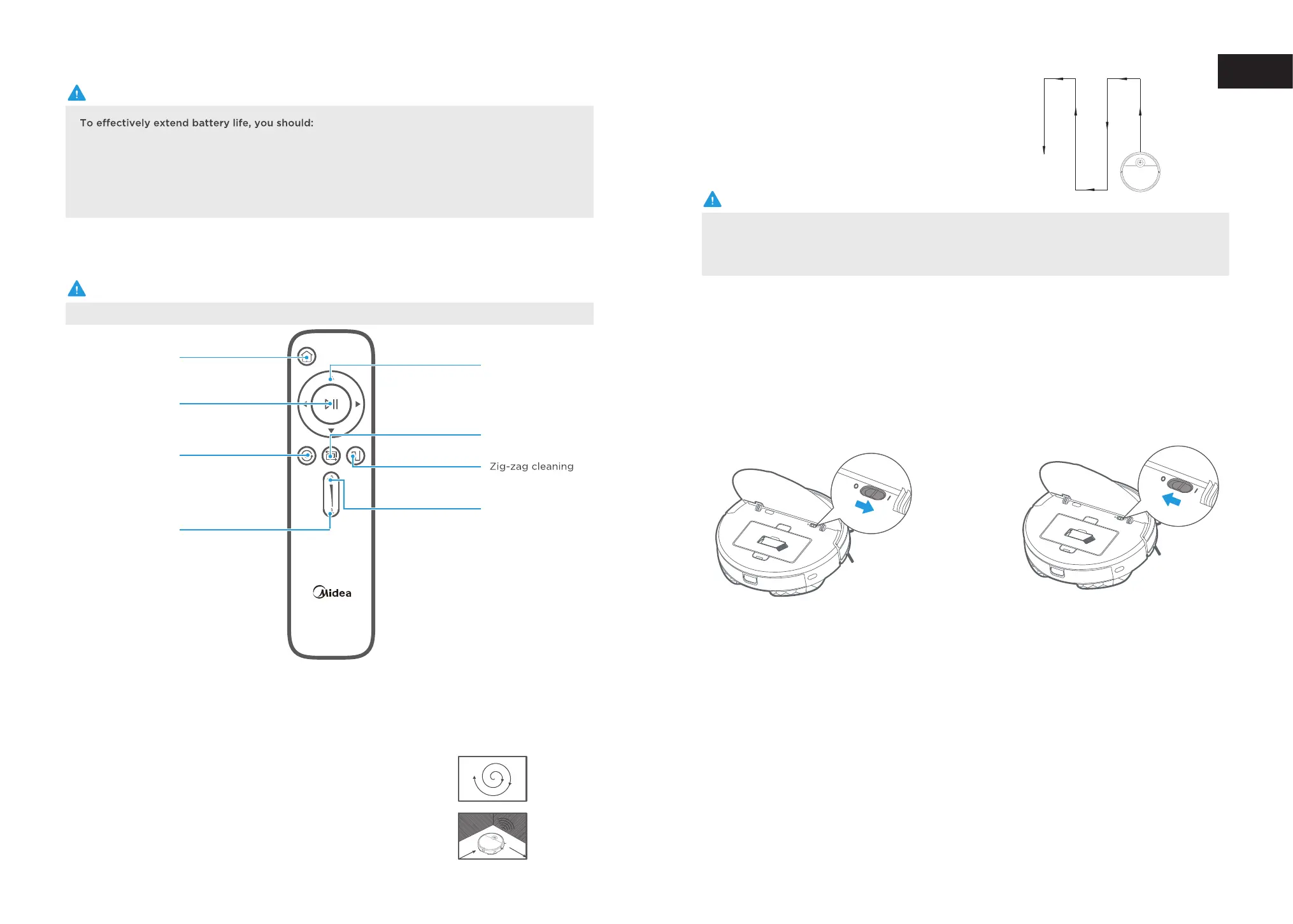
Docking: Vacuum will return to docking station to charge.
1
6
Suc
Zig-zag cleaning: The robot will clean in a zig-zag route.
tion increase: Increases the suction power.
7
Suction decrease: Decreases the suction power.
8
Direction: Manually control the direction of the robot (forward, left, and right). Note that the robot
2
does not vacuum when in manual mode.
Start/Pause: Start or pause cleaning. The robot will automatically begin Smart Path cleaning.
3
Power ON/OFF
Introduction of Remote Control
1
Open the cover and slide power switch
to on.
Docking
Start/Pause
Spot cleaning
Suction decrease
Direction
Edge cleaning
Suction increase
Spot cleaning: The robot will clean a specific area in a spiral pattern.
4
Edge cleaning: The robot will clean edges of the room and furniture.
5
EN


 To Next Page