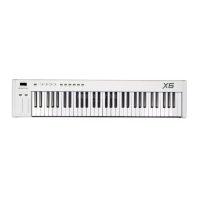
4: Knob controller “T1” is for controlling the reverb effect CC91.
(1) Press MIDI/SELECT keypad, you'll be in sub-function edit mode.
(the indicator light is on, display shows “ ”.)
(2) Press the key corresponding to “CTRL CC”, display shows the current CC
number of controller.
(3) Rotate “T1” knob and edit, it should shows”7” by default.
(4) Press the key labeled number under “numeric keypad” on the right, input
“91”, and press the key corresponding to “ENTER” to confirm, display shows
“”, means setting succeed.
(5) Press MIDI/SELECT keypad again, the keyboard will be back to performing
mode, display shows the channel number.(the indicator light is off, the
optional function of knob “T1” CC91(Reverberation) is memorized.)
Note:It's the same operation if you want to edit other knobs.
5: Knob controller “T1” is for controlling channel 10.
(1) Press MIDI/SELECT button, you'll be in edit mode.
( the indicator light is on, display shows “ ”).
(2) Press the key corresponding to “CTRL CHL.”, the display shows the current
channel NO. of controller.
(3) Rotate knob “T1” and edit, it should shows “17” by default.
(4) Press the key labeled number under “NUMERIC KEYPAD” on the right, input
10”, and press the key corresponding to “ENTER” to confirm, display “
shows “ ”, means setting succeed.
XSeries--UserManual
08


 To Next Page
 Loading...