7
4. MIDI / SELECT button: Use this button to select different MIDI
commands on certain keys from your keyboard.
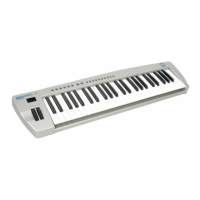
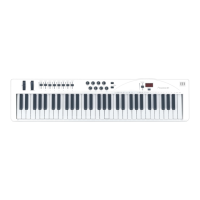
MIDIPLUS-61 provides several groups of MIDI commands as
follows:
a. MIDI Channels group : Pressing the MIDI/SELECT button and
then pressing the MCH (MIDI Channel) key allows you to select
the transmitting channel for your keyboard. The default Channel is
1 when the keyboard's power is turned on. Pressing the
MIDI/SELECT button, MIDI Channel 2 & then the
MIDI/SELECT button changes the MIDI transmit channel from 1
to 2.
b. Assignment data entry group: Pressing the MIDI/SELECT button
then pressing the key of aftertouch (or velocity, or reverb depth, or
chorus depth, or pan pot, or volume, or CC data) and then moving
the data entry slider, allows you to select the transmitting value of
the function. For example, if you want to change the value of
aftertouch : First, press MIDI/SELECT button and aftertouch key.
Second, change the data entry slider to the value you want and
finally press the MIDI/SELECT button again to finish the change.
c. Octave group: By pressing the MIDI/SELECT button and the
octave key, you will shift the active keyboard range one octave
higher, or lower. For example, if you want to change the octave 2
octaves down : Press MIDI/SELECT button and -2 key then press
MIDI/SELECT button to finish the change.



 To Next Page