To Next Page
S
Shannon MoyerAug 7, 2025
How to fix Midland Two-Way Radio when it has no power?
- SStacy GomezAug 7, 2025
If your Midland Two-Way Radio has no power, check the battery installation and/or replace the batteries.

How to fix Midland Two-Way Radio when it has no power?
If your Midland Two-Way Radio has no power, check the battery installation and/or replace the batteries.
Why can't I receive messages on my Midland Two-Way Radio?
If you cannot receive messages on your Midland Two-Way Radio, confirm that the radios have the same channel and that you are within range of the other transceivers. Note that buildings and other structures may interfere with your communication.
Why is the display dim on my Midland Two-Way Radio?
If your Midland Two-Way Radio display is dim, try recharging or replacing the batteries.
What to do if Midland Two-Way Radio is not responding?
If your Midland Two-Way Radio is not responding to button presses, try turning the radio off and then on again to reset it. Also, ensure that the accessory microphone is set properly.
Details battery level, channel number, icons for receive/transmit, and power status.
Covers power, volume, PTT, channel/power selection, and VOX activation.
Details the external speaker/microphone jack for enhanced audio options.
Instructions for powering the radio on/off and adjusting the volume level.
Guidance on how to communicate with other radios in your group.
Factors affecting radio range and tips for maximizing communication distance.
Information on how the display illumination activates and can be controlled.
Steps to select one of the 22 GMRS/FRS channels for communication.
How to choose between High and Low transmit power settings.
Lists the channel numbers and their corresponding frequencies in MHz.
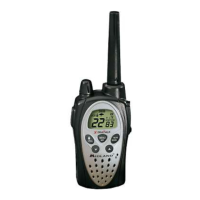
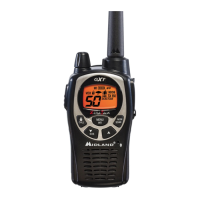
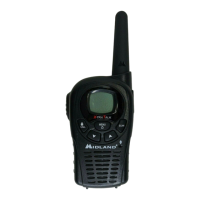
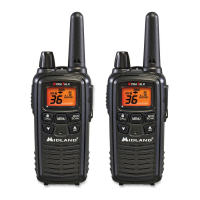
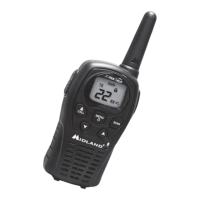
The Midland GXT881 X-TRA TALK is a GMRS/FRS two-way radio designed for reliable and trouble-free performance. This compact yet powerful device is engineered for General Mobile Radio Service (GMRS) operation, offering a robust communication solution for various environments. The radio features a solid-state circuitry mounted on a rugged printed circuit board, ensuring durability and consistent performance.
The primary function of the GXT881 is two-way radio communication over GMRS/FRS channels. It allows users to transmit and receive voice communications, making it suitable for group coordination in outdoor activities, work environments, or general personal use. The radio operates on 22 GMRS/FRS channels, providing a range of options for clear communication.
The GXT881 is packed with features designed to enhance user experience and communication efficiency:
To operate the GXT881, ensure all radios in your group are set to the same channel. For optimal clarity during transmission, hold the radio 2 to 3 inches from your mouth and speak in a normal voice while pressing the PTT button. The TX icon will appear on the LCD. To receive a call, release the PTT button, and the RX icon will appear when a transmission is being received.
The GXT881 is designed for maximum range under optimum conditions, such as over water, in open rural areas without obstructions, or in flat areas where you have a clear line of sight to the other person. To maximize range, always use fresh or fully charged batteries, ensure you are on a GMRS channel (as FRS channels are low power), and set your radio to use High power when permitted.
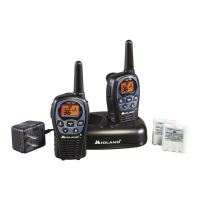
The GXT881 can operate on either 4 AA alkaline batteries or an optional NiMH rechargeable battery pack. To install batteries, first remove the belt clip and then the battery cover. Insert the 4 AA batteries, observing the correct polarity, or place the NiMH battery pack into the compartment. Incorrect battery installation can prevent the radio from operating or cause damage. After installation, replace the battery cover and secure the belt clip.
For the optional NiMH battery pack, charging is done via a desktop charger (not included). Initial charge time is 24 hours, with subsequent charges taking 12 hours. For maximum battery life, it's recommended to charge the battery pack when the low battery icon appears. Always remove the radios from the charger once the charge time expires. It is crucial to only use Midland's NiMH battery pack and avoid attempting to charge alkaline batteries or other non-specified battery packs, as this can lead to leakage and damage. For long-term storage, turn the radio off and remove the batteries.
Proper care and maintenance will ensure the longevity of your GXT881 radio:
The Midland GXT881 is a user-friendly and robust communication device, designed to provide clear and reliable two-way radio functionality with a focus on convenience and durability.
 General
| Channels | 22 |
|---|---|
| Privacy Codes | 121 |
| Range | up to 36 miles |
| Power Output | 5 Watts |
| NOAA Weather Alert | Yes |
| Weather Channels | 10 |
| Hands-Free Operation (VOX) | Yes |
| Call Alert | Yes |
| Scan | Yes |
| Weight | 0.5 lbs |
| Frequency Range | 462.5500 - 467.7125 MHz |