4
Total ARea: ___Err____ Step 8
Err
Field Area: __________ Step 9
You set this # to get an audible alarm
When you reach that level spreading.
Example: Can get an alarm every 1 acre
or 5 acres. This is a personal choice.
Speed: ____0_____ Step 10
Set GSO (Ground Speed Override)
to 0 (zero) on dry
Scan: ___Err____ Step 11
Err
Test Speed: __________ Step 12
This is a personal choice.
7—10 mph are common.
This number is for testing only
With these selections you are now ready to enter the data into your console.
H
I
J
K
L
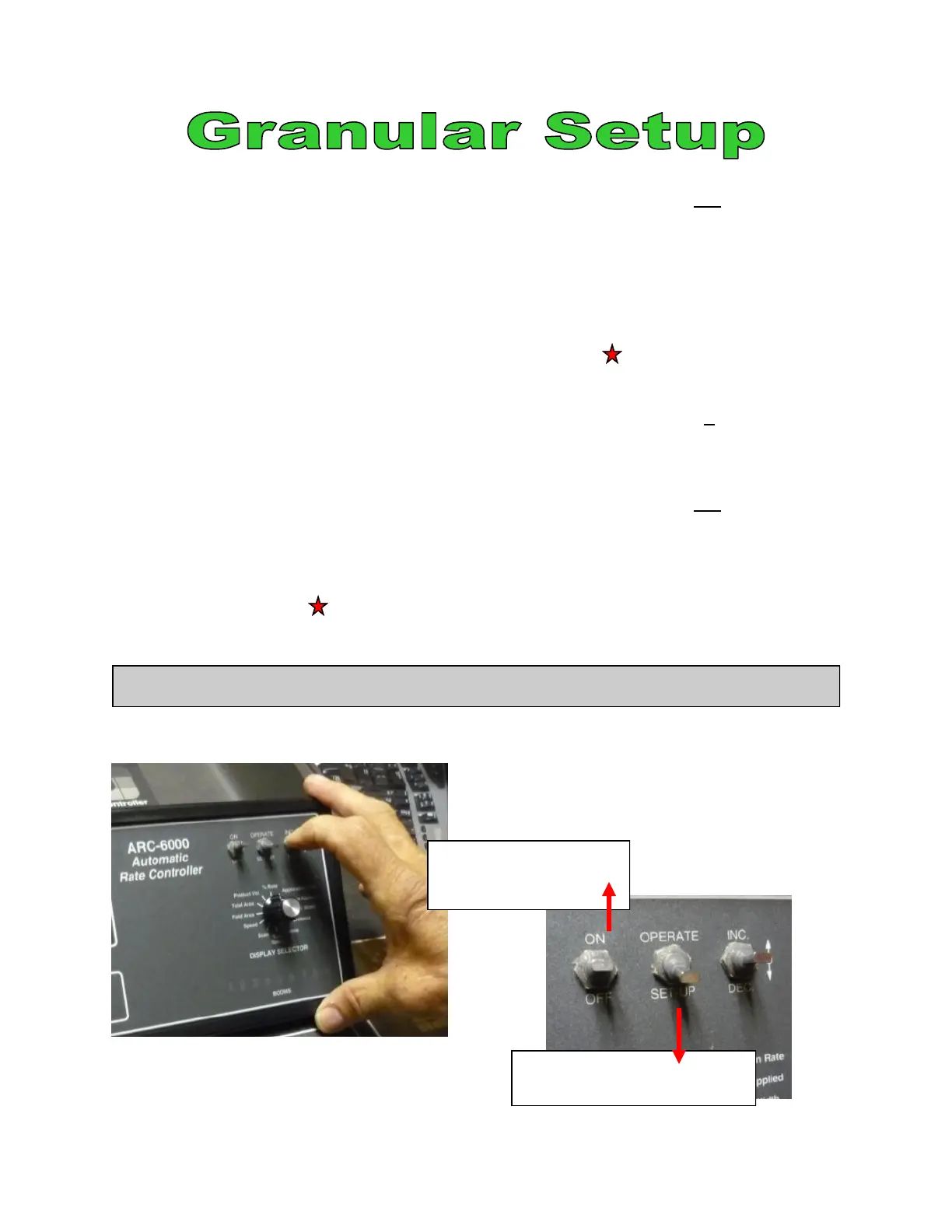
Move switch down
Change Console to Set Up
Turn ARC console on
Move switch up
Getting Started
©2011 Newton Crouch Inc. This information is the property of Newton Crouch Inc. and is loaned confidentially to our customer for his sole use. It must not be used in any way
detrimental to our interest or shared with outside parties. Technical Tips/ ARC6000 Programming—Dry Rev 2.2.2011



 To Next Page