Descaling the machine
57
You will need one descaling tablet to
descale the machine.
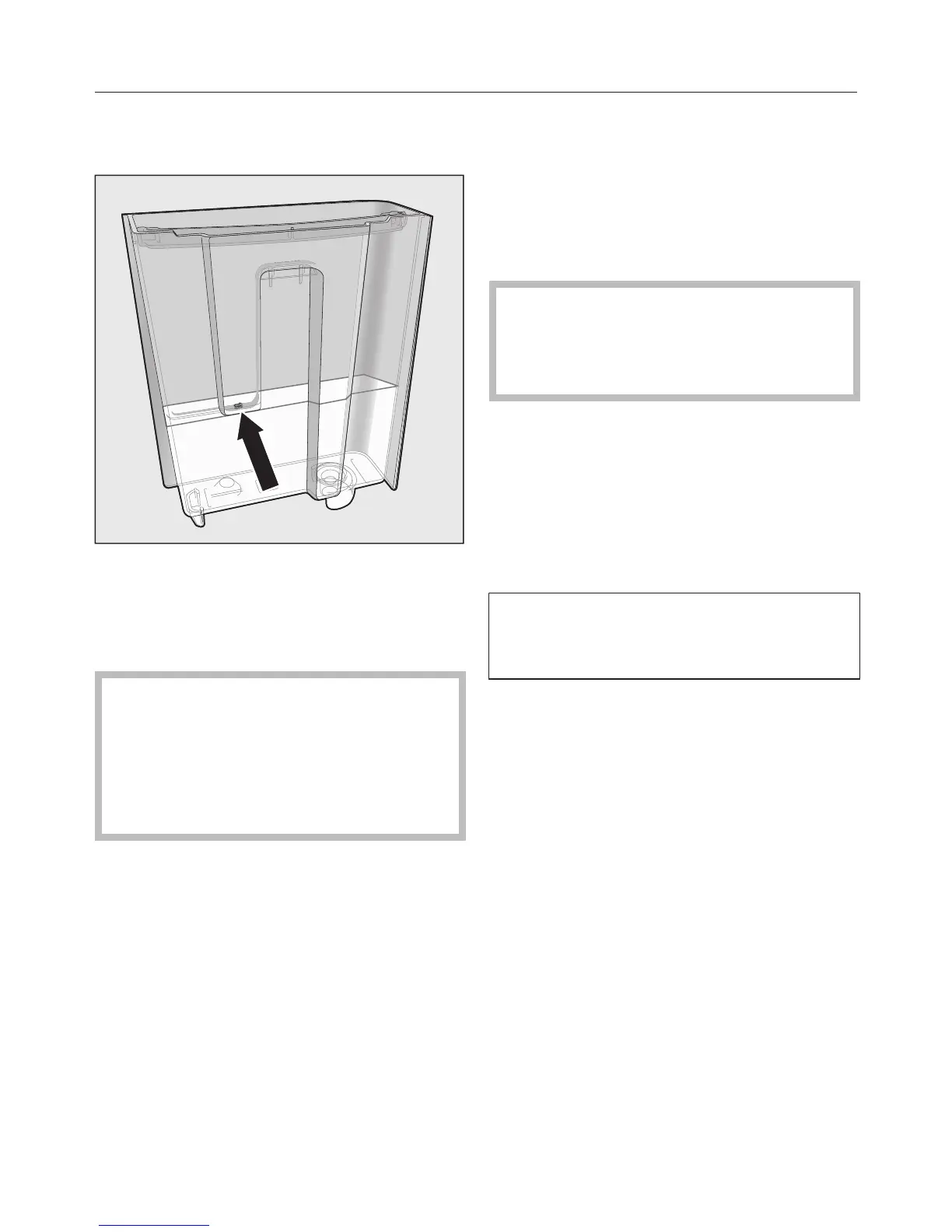
Fill the water container to the
symbol with lukewarm water.
Place one descaling tablet in the
water.
Follow the instructions for the mixing
ratio carefully. It is important that you
do not fill the water container with
too much or too little water.
Otherwise the descaling process will
be cancelled prematurely.
Carrying out descaling
Push the water container back into
the appliance.
Follow the further instructions given
in the display.
When Rinse the water container and fill with
fresh tap water up to the symbol
appears in the display:
Remove the water container and
rinse it thoroughly with clean water.
Ensure that no descaling solution
residue remains in the water
container. Fill the water container to
the symbol with fresh tap water.
The cleaning process is finished at the
end of the rinsing cycle. You can now
make drinks again.
Ensure that any splashes of
descaling solution are wiped up
immediately. Otherwise surfaces can
be damaged.
Descaling when not prompted
by a message
Touch .
Select Maintenance and touch OK.
Select Descale the appliance.
Descaling cannot be cancelled once it
has started. It must be completed
through to the end.
Touch OK.
The descaling process will now start.



 To Next Page