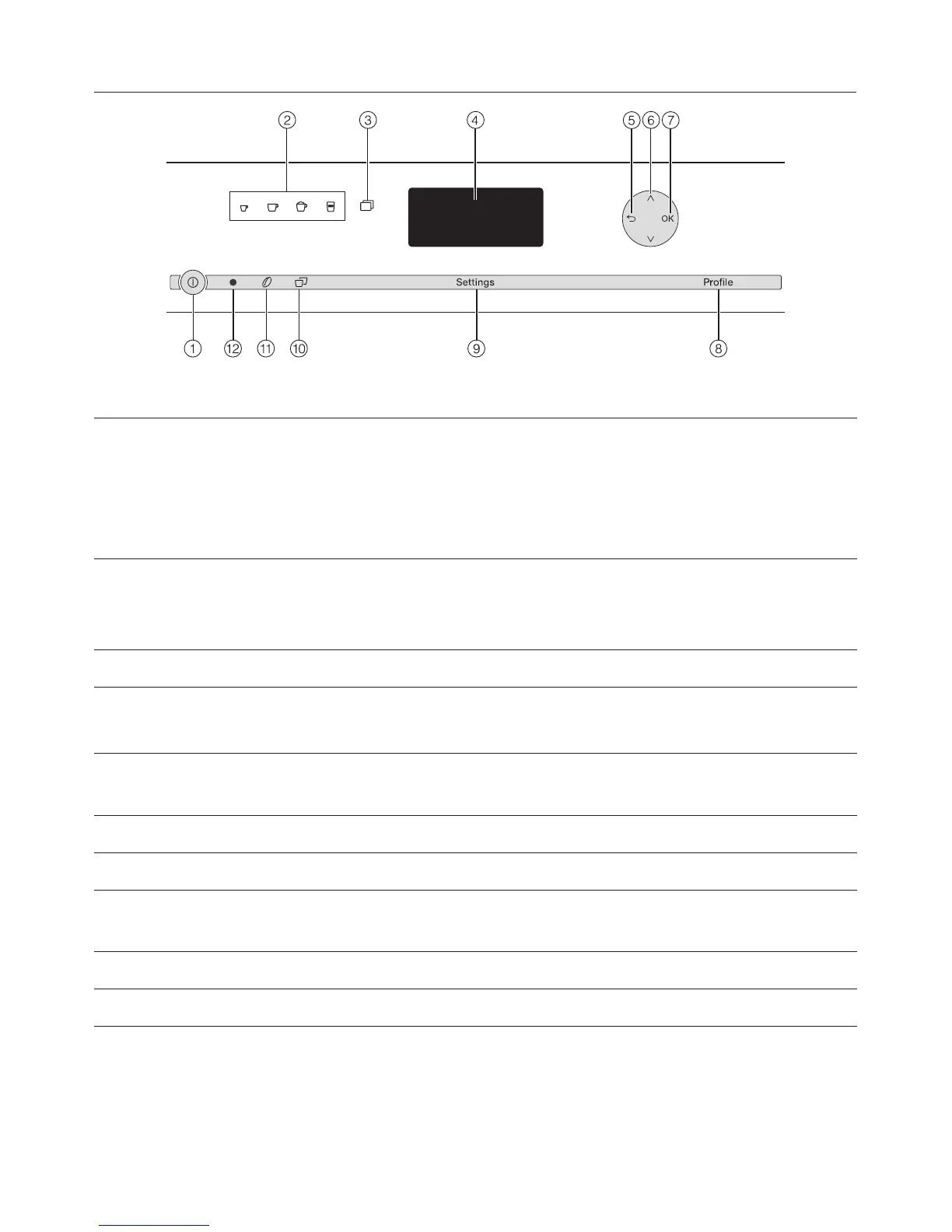
a On/Off touch control K Turn machine on and off
b Beverage controls Preparation of
. Espresso
/ Coffee
H Cappuccino
k Latte macchiato
c More programs x More beverages such as lungo coffee, café latte,
hot milk, froth milk and hot water
See "Mainentance" menu
d Display Information on the current action or status
e Back # Go back to previous menu level, cancel unwanted
actions
f Arrow keys Y X Show more options on the display and highlight a
selection
g OK button Confirm display messages and save settings
h "Profile" Save and manage profiles
i "Settings" Change settings, display information, or check
which settings are currently active
j Two servings ° Prepare two servings of a beverage
k Parameter , Check or change coffee preparation settings
l Optical interface (for Miele Technical Service only)
Controls and display elements
12


 To Next Page