Before first use
25
Before using for the first time
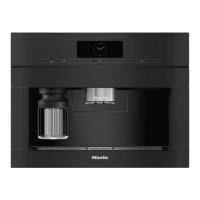
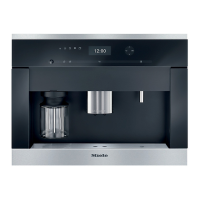
Connect the coffee machine to the
electricity supply.
Install the coffee machine.
Remove any notices from the
machine.
Remove the protective foil from the
drip-tray cover.
Clean the water container, bean
containers, and the central spout.
Remove the water container and fill it
with fresh, cold tap water. Only fill the
water container up to the “max.”
mark and then reinsert it in the
machine (see “Filling the water
container”).
Remove the bean containers and fill
them with roasted coffee beans.
Turning on for the first time
Tap theOn/Offbutton.
Selecting the display language
Select the desired display language.
You might also be asked for your
location.
The choice of location determines how
the time of day is displayed, e.g., in
the 12 or 24-hour format, as well as
how units are displayed and so on.
Setting up the network (Miele@home)
You can connect your coffee machine
to your Wi-Fi network.
The following appears in the display
during commissioning: Set up
“Miele@home”
Tip: You can also choose to set up
Miele@home for your coffee machine at
a later point. In this case, select Skip.
Make sure that your Wi-Fi network
signal is sufficiently strong in the
coffee machine's installation site.
Tap Continue.
Select the connection method you
wish to use.
Follow the instructions provided in
the coffee machine display and in the
Miele app.
Connection successfully established
appears in the display.
TouchOK to proceed with
commissioning.
Setting the date
Set today’s date.
Confirm withOK.
Setting the time of day
Set the current time of day.
Confirm withOK.
If the coffee machine has been
connected to a Wi-Fi network and
signed into the Miele app, the time will
be synchronized based on the location
setting in the Miele app.



 To Next Page