Adjusting the dosage
The dosage selector is preset to 3. This
dispenses approximately 3 ml of rinse
aid per program. It can be adjusted
from 0 to 6.
–
Use a higher setting if spots appear
on dry glassware.
^
Use a lower setting if streaking
appears on dishes or glasses.
^
Turn the dishwasher off "V".
^
Press and hold the "Program" button
and at the same time turn the
dishwasher on g.
Hold the "Program" button until the
"Rinse & Hold" indicator comes on.
If it does not come on start over.
^ Press the "Program" button three
times.
The "Intake / Drain" indicator flashes
three times in intervals.
The "SaniWash" indicator flashes 3
times in intervals.
The rinse aid dosage is adjusted to
3 ml by default.
The amount set can be recognized by
the flashing rhythm of the "SaniWash"
indicator (see table):
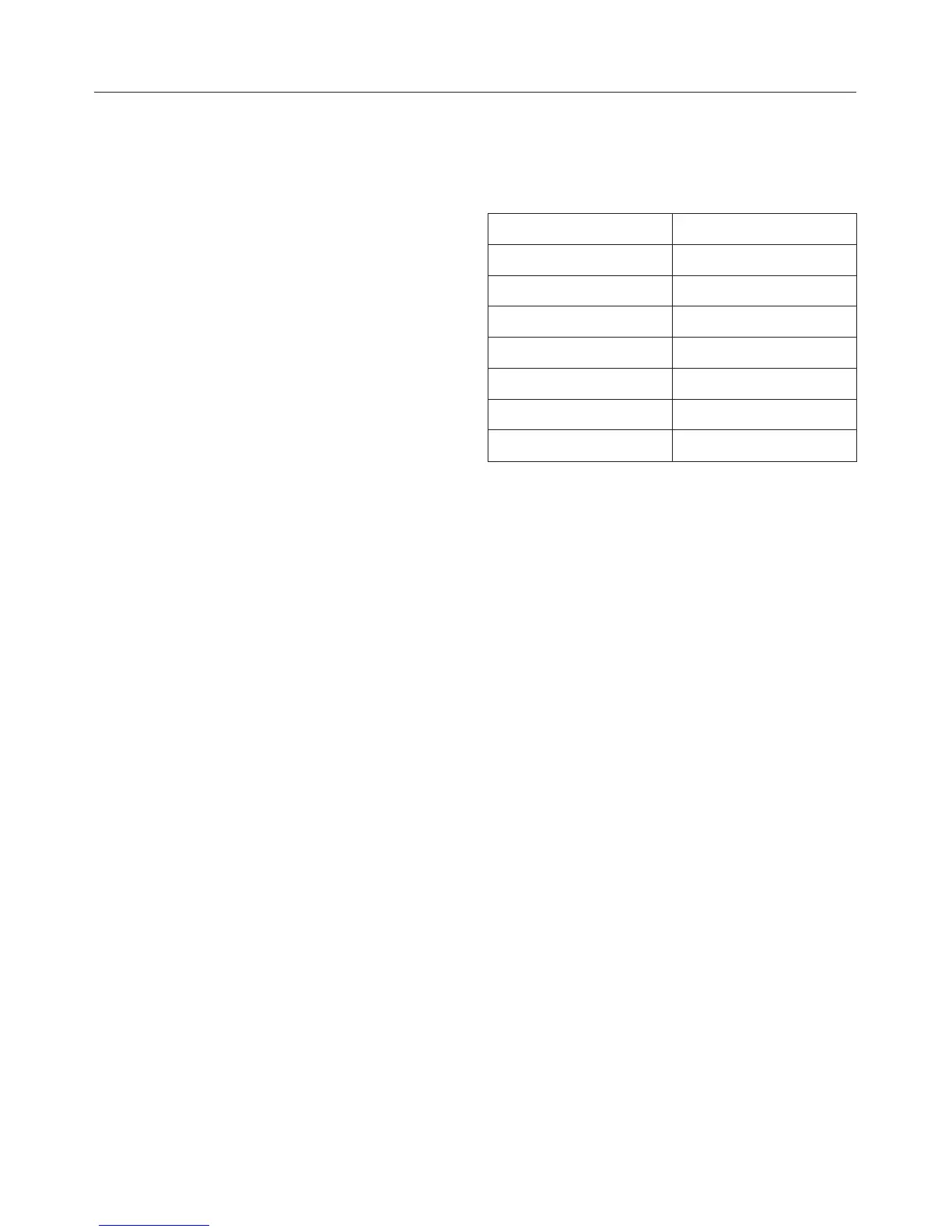
Dosage in ml Flashing rhythm
0-
1 Once
2 Twice
3 3 times
4 4 times
5 5 times
6 6 times
^ Press and hold the "Program" button
until the "Intake / Drain" indicator
lights up.
^ Select the desired setting with the
"Program" button. Every touch of the
button increases the level.
The programmed dosage is saved.
^ Turn the dishwasher off "V".
Before using for the first time
12



 To Next Page