Control panel
27
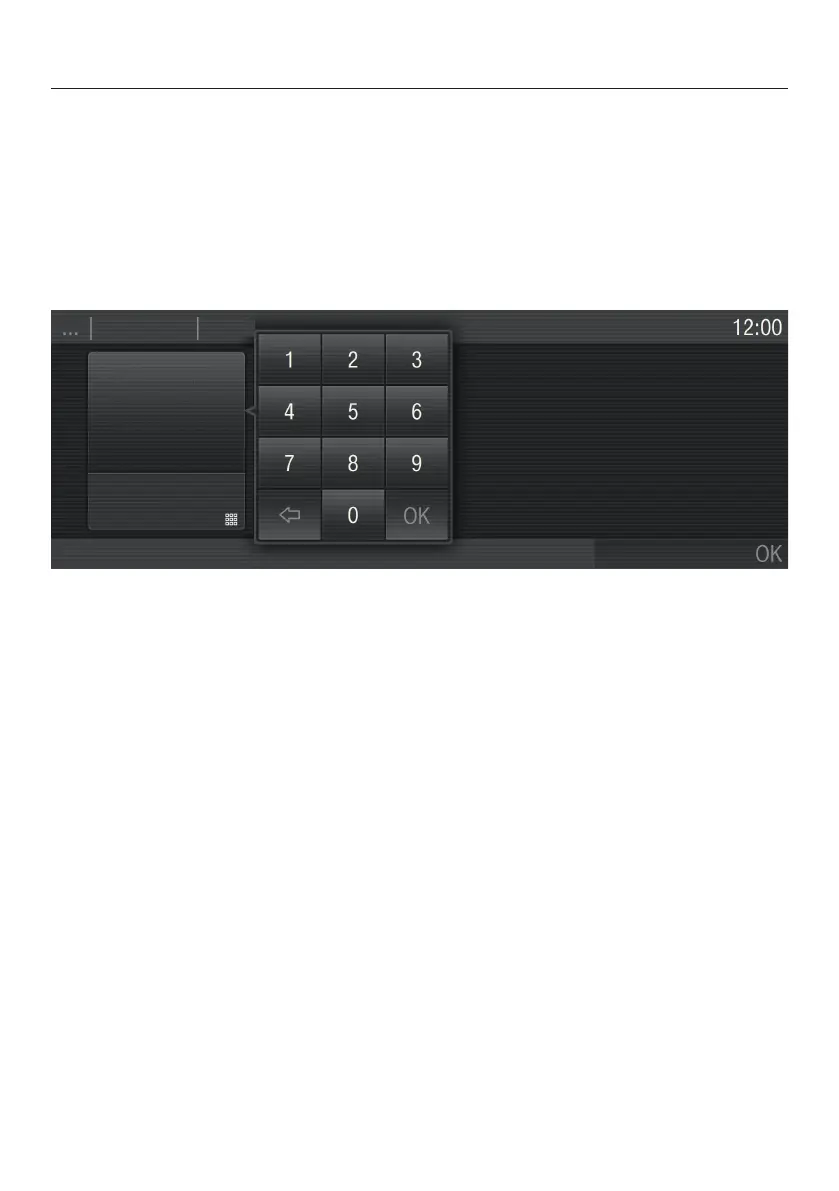
Entering numbers
You can enter numbers by scrolling through the roller and touching the desired
value
, or by using the numerical keypad.
To enter numbers using the roller:
Swipe the r
oller up or down to select the desired number.
To enter numbers using the numerical keypad:
T
ouch in the bottom right of the input field.
The numerical keypad appears.
T
ouch the required numbers.
Once you have entered a valid value, the OK sensor will light up green.
The last figure entered can be deleted using the arrow.
T
ouch "OK".
Entering letters
Enter a name using a keyboard. Try to use short, concise names.
Selec
t the required letters or characters.
T
ouch Save.


 To Next Page