Humidity filters
The two humidity filters, located above
the SmartFresh drawers, must be
removed for cleaning.
^
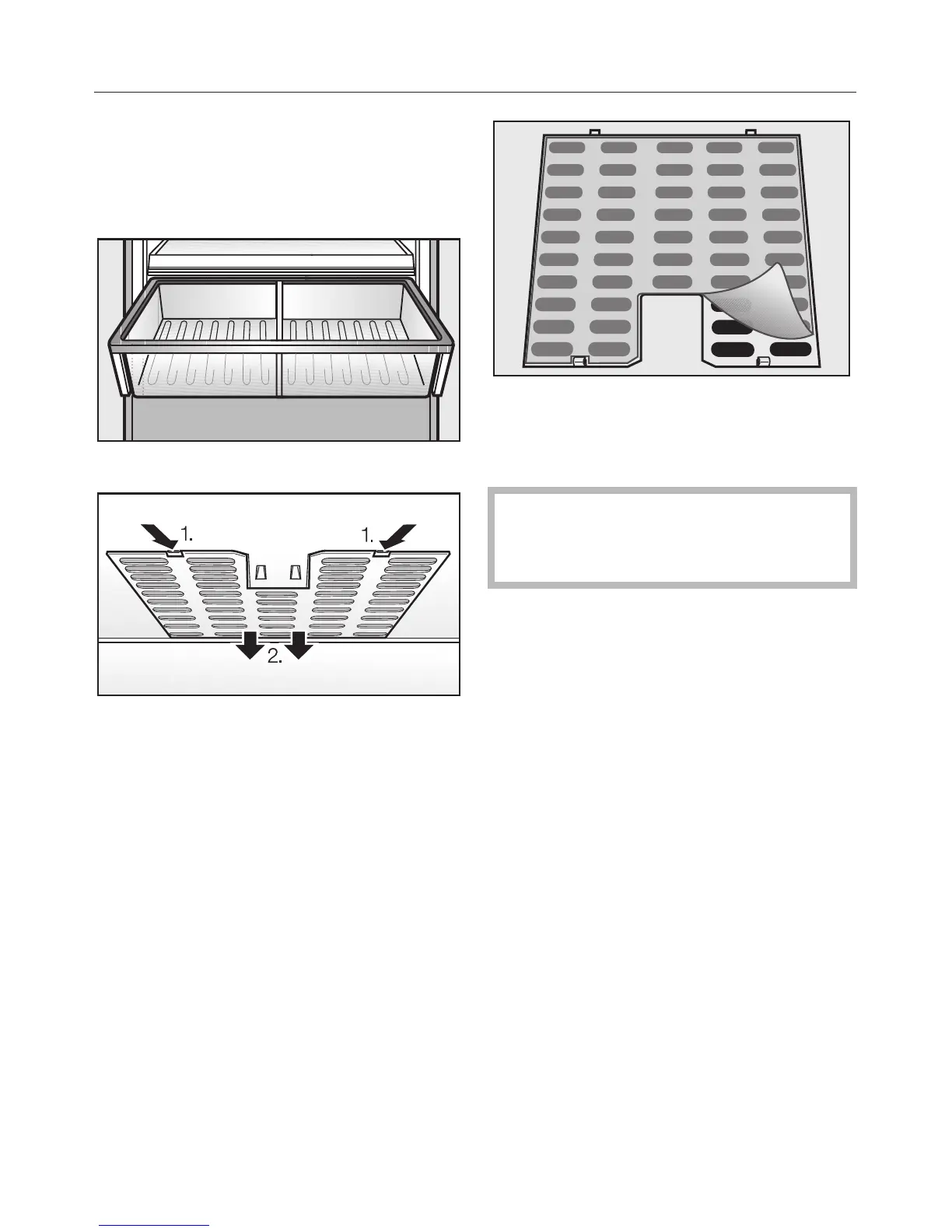
Remove the SmartFresh drawer.
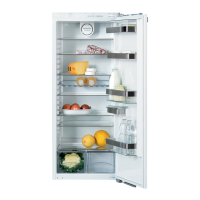
^ Unhook the filter cover a in each
side of the drawer and remove them
along with the filters downwards
starting from b.
^
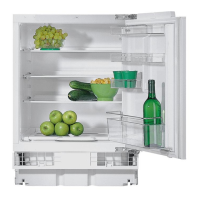
Remove the filter mat.
^
Clean the filters by rinsing them with
lukewarm water.
Do not clean in a dishwasher or
washing machine. This will damage
the filter.
^ Air-dry the filters.
^ Place the filters back in the filter
cover.
^ Put the filter cover back in place,
inserting the rear hooks first.
^
Re-insert the SmartFresh drawer.
Cleaning and care
26


 To Next Page