Replacing the dustbag
^
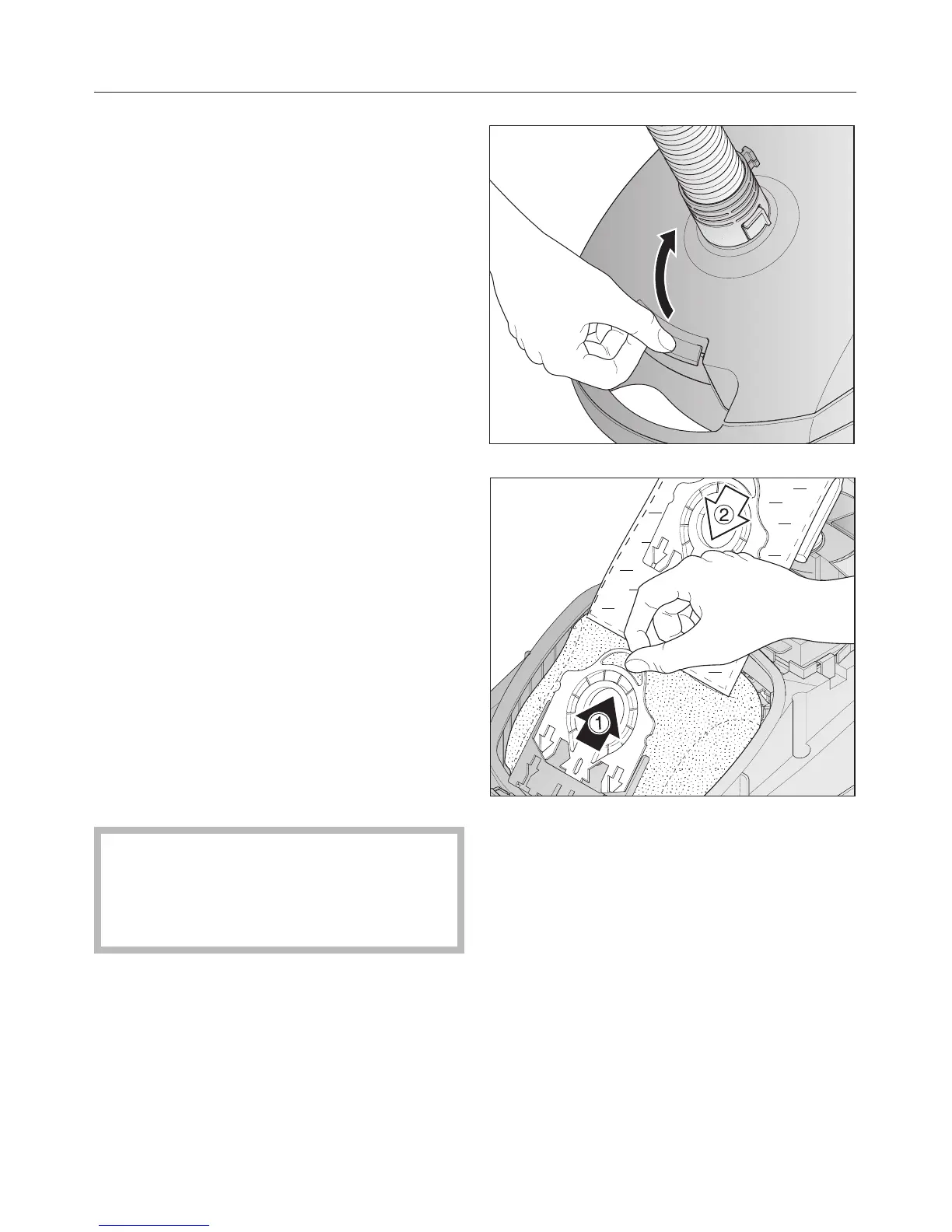
Open the dust compartment lid and
raise until it clicks into place.
The dustbag has a closing flap which
closes automatically when the dust
compartment lid is raised to prevent
any dust from escaping.
^
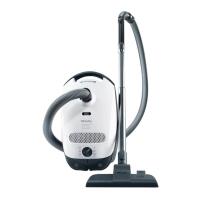
Grasp the finger grip and pull a the
dustbag out of the holder.
^ Insert b the new dustbag as far as it
will go into the dustbag holder. Do
not unfold the dustbag when taking it
out of the box.
^ Unfold the dustbag in the dust
compartment.
^
Push the dust compartment lid
closed until it clicks into place. Take
care not to jam the dustbag in the lid.
,
An empty-operation-barrier
blocks the dust compartment lid
from closing if no dustbag is
inserted. Do not force it closed.
Maintenance and care
19


 To Next Page