2Selecting a programme
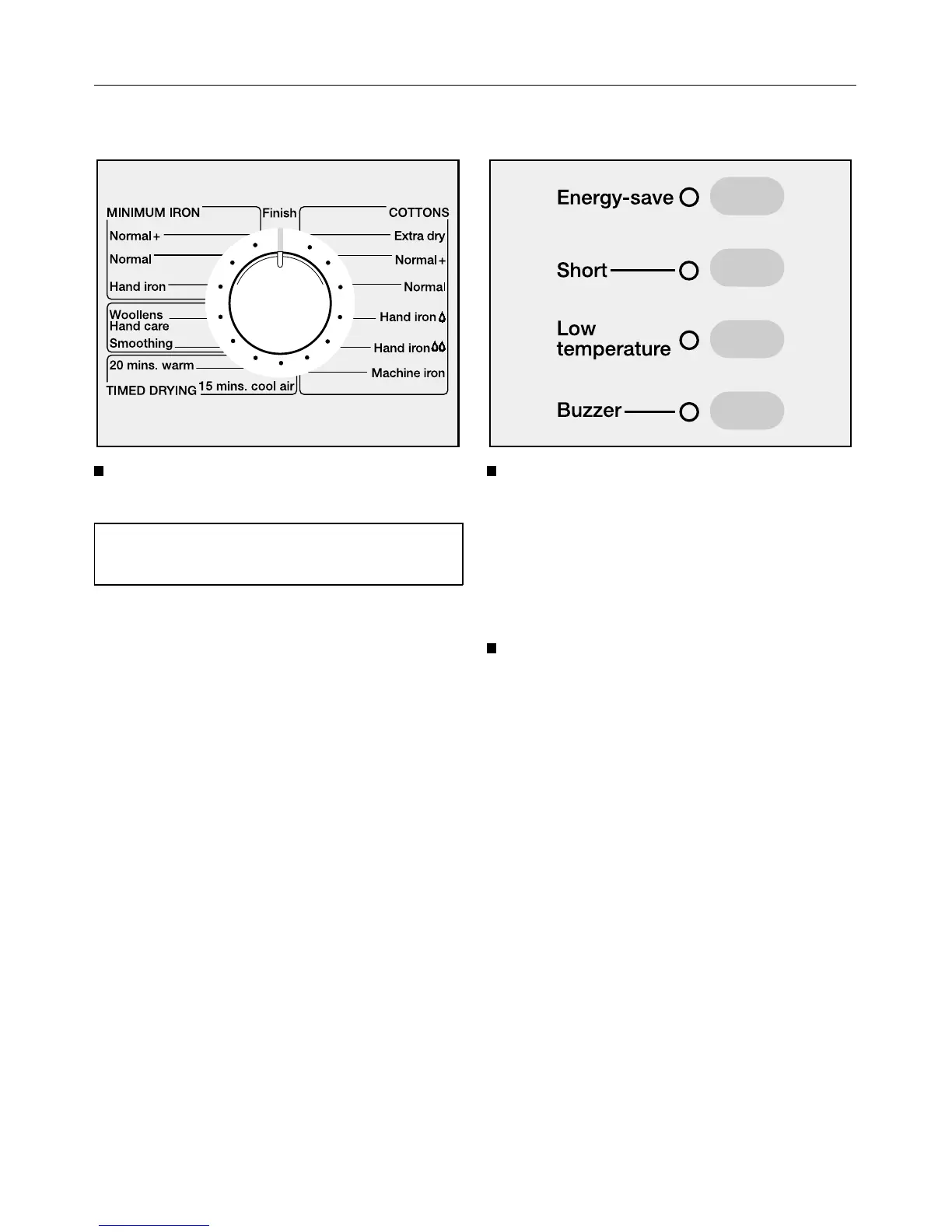
Turn the programme selector to the
programme required.
See the “Programme chart” for a de-
scription of each programme.
COTTONS; MINIMUM IRON; Wool-
lens hand care; Smoothing
The length of the programme is deter-
mined by the electronics according to
each load.
TIMED DRYING:
The length of the programme is always
the same.
3Selecting additional option(s)
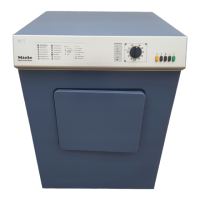
Additional options can be switched
on and off as required.
See the section on “Additonal options"
for a description of each option.
4Starting a programme
Press the “START” button.
The drying stage reached display on
the right hand side of the facia panel
will indicate which drying stage the pro-
gramme has reached.
The memory function:
If the memory function has been acti-
vated, the machine will automatically
call up the additional options selected
for the last programme used. The indi-
cator lights will indicate which options
are selected.
For further details on the memory func-
tion, please see the section “Programm-
able functions”.
How to dry correctly
13



 To Next Page