Cleaning and care
35
Plinth filter
Only clean the plinth filter when the
indicat
or lights up.
Removing the plinth filter
P
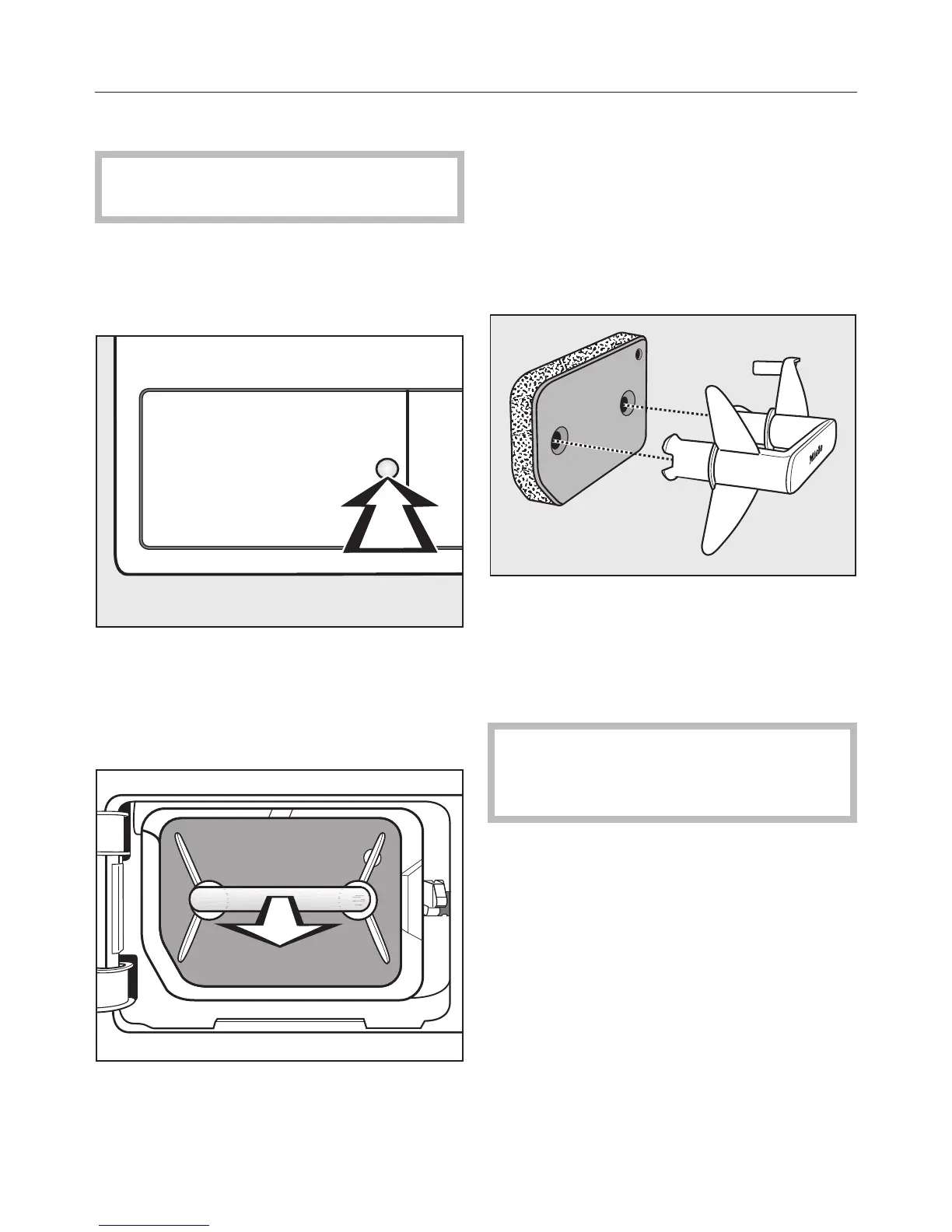
ress the round, indented area on the
heat exchanger access panel to open
it.
The panel will spring open.
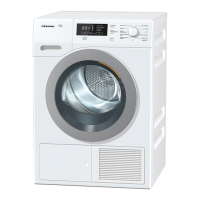
Pull the plinth filter out by the handle.
Removing the plinth filter will cause the
righ
t hand guide pin in the dryer to
come out. This pin ensures that the
heat exchanger access panel can only
be closed if the plinth filter is inserted
the right way round.
Cleaning the plinth filter
P
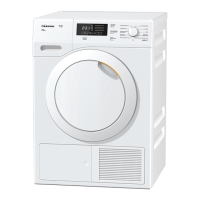
ull the handle out of the plinth filter.
Cle
an the filter thoroughly under run‐
ning water.
Squee
ze the plinth filter thoroughly.
The plinth filt
er must not be re‐
placed dripping wet as this can
cause a fault.
Use a damp cloth t
o remove any fluff
from the handle.
To delete the indicator: open and
close the door with the dryer switched
on.


 To Next Page