Replacing an Active Air Clean
filter or an Active HEPA filter
Do not use more than one exhaust
filter at a time.
^
Open the dust compartment lid.
^
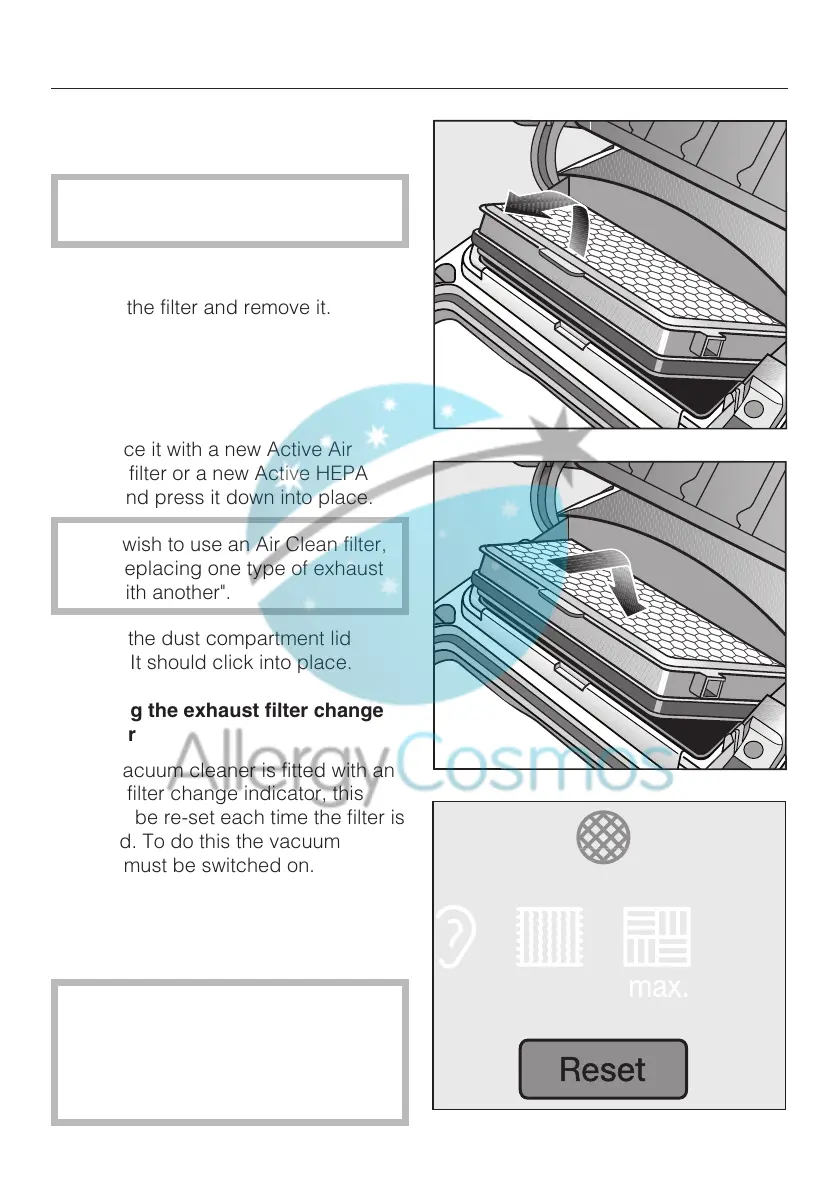
Raise the filter and remove it.
^
Replace it with a new Active Air
Clean filter or a new Active HEPA
filter and press it down into place.
If you wish to use an Air Clean filter,
see "Replacing one type of exhaust
filter with another".
^ Close the dust compartment lid
firmly. It should click into place.
Resetting the exhaust filter change
indicator
If your vacuum cleaner is fitted with an
exhaust filter change indicator, this
needs to be re-set each time the filter is
replaced. To do this the vacuum
cleaner must be switched on.
^
Press the reset button.
The exhaust filter change indicator will
go out and reset to zero.
The filter change indicator can only
be reset by pressing the reset
button after the light has come on.
Pressing the button at any other time
will have no effect.
Maintenance and care
31
Allergy Cosmos | Tel: 0800 0148 667 | Web: www.AllergyCosmos.co.uk


 To Next Page