A Prepare the laundry
^
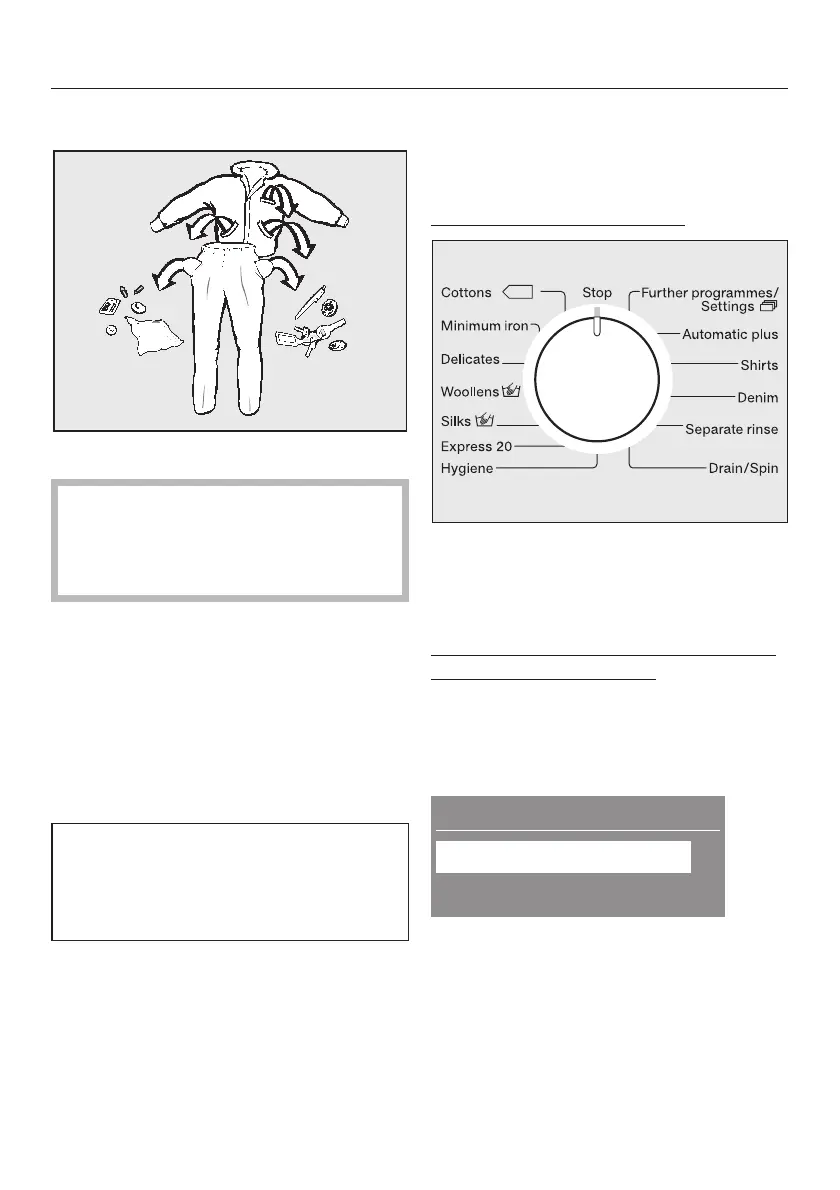
Empty all pockets.
,
Foreign objects (e.g. nails,
coins, paper clips, etc.) can cause
damage to garments and
components in the machine.
B Sort the laundry
^ Sort the laundry by colour and by
care label. Most garments have a
textile care label in the collar or side
seam.
C Switch on the washing machine
The interior drum lighting will come on.
It will go out a few minutes later to
save energy. To switch the drum
lighting back on, press the Door
button.
D Select a programme
You have two possibilities for selecting
a programme:
Via the programme selector:
^ Turn the programme selector to the
required programme.
or
Via the programmable function Further
programmes/Settings 4:
^ Turn the programme selector to
Further programmes/Settings 4
and other programmes will be shown
in the display.
Further programmes
Settings !
;
Dark garments ,
^
Push the X or Y button to select the
programme you want. Confirm with
OK.
The display will show the selected
programme.
Brief instructions



 To Next Page