EasyManua.ls Logo

Miele WCI 860 - User Manual

Miele WCI 860
112 pages
Print Icon
To Next Page IconTo Next Page
Loading...
Operating instructions
for washing machines
To avoid the risk of accidents or damage to the machine, it is essential
to read these instructions before it is installed and used for the first time.
en-GB M.-Nr. 11 360 010

Table of Contents

Question and Answer IconNeed help?

Do you have a question about the Miele WCI 860 and is the answer not in the manual?

Summary

Warning and Safety Instructions

General Safety Guidelines

Defines intended use, safety guidelines, and technical safety requirements for the washing machine.

Child Safety Measures

Outlines safety measures and age restrictions for children interacting with the machine.

Machine Operation Overview

Control Panel and Display

Describes the interface, control panel components, and display information.

Navigating Machine Functions

Explains how to navigate through machine controls and display menus.

Initial Setup and First Use

Pre-use Preparations

Covers removing transit bars, foil, and initial checks before first use.

Miele@home Setup

Guides through connecting to WiFi and Miele@home service.

TwinDos and Calibration Setup

Covers commissioning TwinDos and starting the calibration programme.

Programme Selection and Operation

Selecting Wash Programmes

Details how to choose wash programmes using the selector dial and display.

Adjusting Programme Settings

Explains how to modify temperature, spin speed, and select extra options.

Detergent and Additive Options

Covers manual and automatic detergent dispensing, CapDosing, and other additives.

Maintenance and Troubleshooting

Cleaning and Care Procedures

Provides instructions for cleaning the machine's exterior, interior, and specific components.

Problem Solving Guide

Offers solutions for common malfunctions, error messages, and faults.

Installation Guide

Installation Requirements and Connections

Covers surface, connections, levelling, and securing the machine.

Technical Specifications

Lists key physical dimensions, capacities, and technical specifications of the machine.

Settings and Customization

Navigating Settings Menu

How to access and select various machine settings like language and display options.

Customizing Detergent and Connectivity

Options for TwinDos, Miele@home, and other preferences like tones and brightness.

Summary

Warning and Safety Instructions

General Safety Guidelines

Defines intended use, safety guidelines, and technical safety requirements for the washing machine.

Child Safety Measures

Outlines safety measures and age restrictions for children interacting with the machine.

Machine Operation Overview

Control Panel and Display

Describes the interface, control panel components, and display information.

Navigating Machine Functions

Explains how to navigate through machine controls and display menus.

Initial Setup and First Use

Pre-use Preparations

Covers removing transit bars, foil, and initial checks before first use.

Miele@home Setup

Guides through connecting to WiFi and Miele@home service.

TwinDos and Calibration Setup

Covers commissioning TwinDos and starting the calibration programme.

Programme Selection and Operation

Selecting Wash Programmes

Details how to choose wash programmes using the selector dial and display.

Adjusting Programme Settings

Explains how to modify temperature, spin speed, and select extra options.

Detergent and Additive Options

Covers manual and automatic detergent dispensing, CapDosing, and other additives.

Maintenance and Troubleshooting

Cleaning and Care Procedures

Provides instructions for cleaning the machine's exterior, interior, and specific components.

Problem Solving Guide

Offers solutions for common malfunctions, error messages, and faults.

Installation Guide

Installation Requirements and Connections

Covers surface, connections, levelling, and securing the machine.

Technical Specifications

Lists key physical dimensions, capacities, and technical specifications of the machine.

Settings and Customization

Navigating Settings Menu

How to access and select various machine settings like language and display options.

Customizing Detergent and Connectivity

Options for TwinDos, Miele@home, and other preferences like tones and brightness.
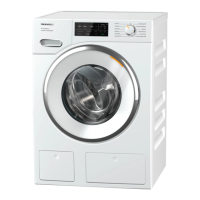
Miele WCI 860 Specifications

General IconGeneral
BrandMiele
ModelWCI 860
CategoryWasher
LanguageEnglish

Related product manuals