7Instruction Manual
Installation
Select a level surface that provide enough open space vents.
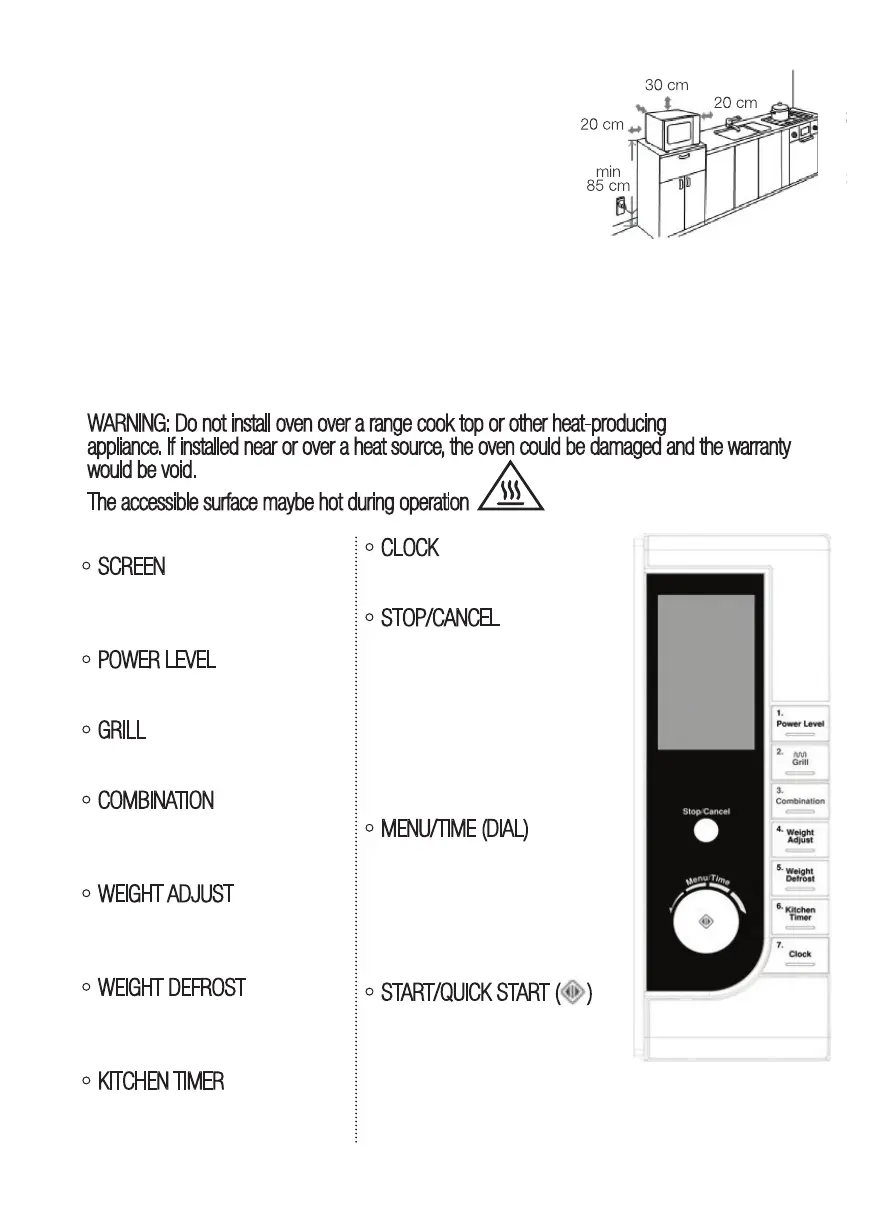
1) The minimum installation height is 85cm.
2) The rear surface of appliance shall be placed against a wall.
Leave a minimum clearance of 30cm above the oven, a
minimum clearance of 20cm is required between the oven and
any adjacent walls.
3) Do not remove the legs from the bottom of the oven.
4) Blocking the intake and / or outlet openings can damage the oven.
5) Place the oven as far away from radios and TV as possible.
Operation of microwave oven may cause interference to your radio or TV reception.
6)Plug your oven into a standard household outlet.
Be sure the voltage and the frequency is the same as the voltage and the frequency on the
rating label.
WARNING: Do not install oven over a range cook top or other heat-producing
appliance. If installed near or over a heat source, the oven could be damaged and the warranty
would be void.
The accessible surface maybe hot during operation
Control Panel
SCREEN
Cooking time, power, action
indicators, and clock time are
displayed on the screen.
POWER LEVEL
Press this button to set micro-
wave cooking power level.
GRILL
Press this button to set a
grill-cooking program.
COMBINATION
Press this button to cook with
combined microwave and grill
power.
WEIGHT ADJUST
After choosing an auto-cooking
menu, press it to specify food
weights or number of servings.
WEIGHT DEFROST
Press this button to defrost
food based on the weight you
entered.
KITCHEN TIMER
Press this button to set the
timer feature.
CLOCK
Press this button to set the
oven clock.
STOP/CANCEL
Press this button to cancel
setting or reset the oven before
setting a cooking program.
Press once to temporarily stop
cooking, or twice to cancel
cooking altogether.
It is also used for setting child
lock.
MENU/TIME (DIAL)
Turn the dial to set the oven
clock time and input cooking
time.
Turn the MENU/TIME dial to
select an auto-cooking menu
including auto defrost.
START/QUICK START ( )
Press this button to start a
cooking program.
Simply press a number of times
to set cooking time and cook
immediately at full power level.



 To Next Page