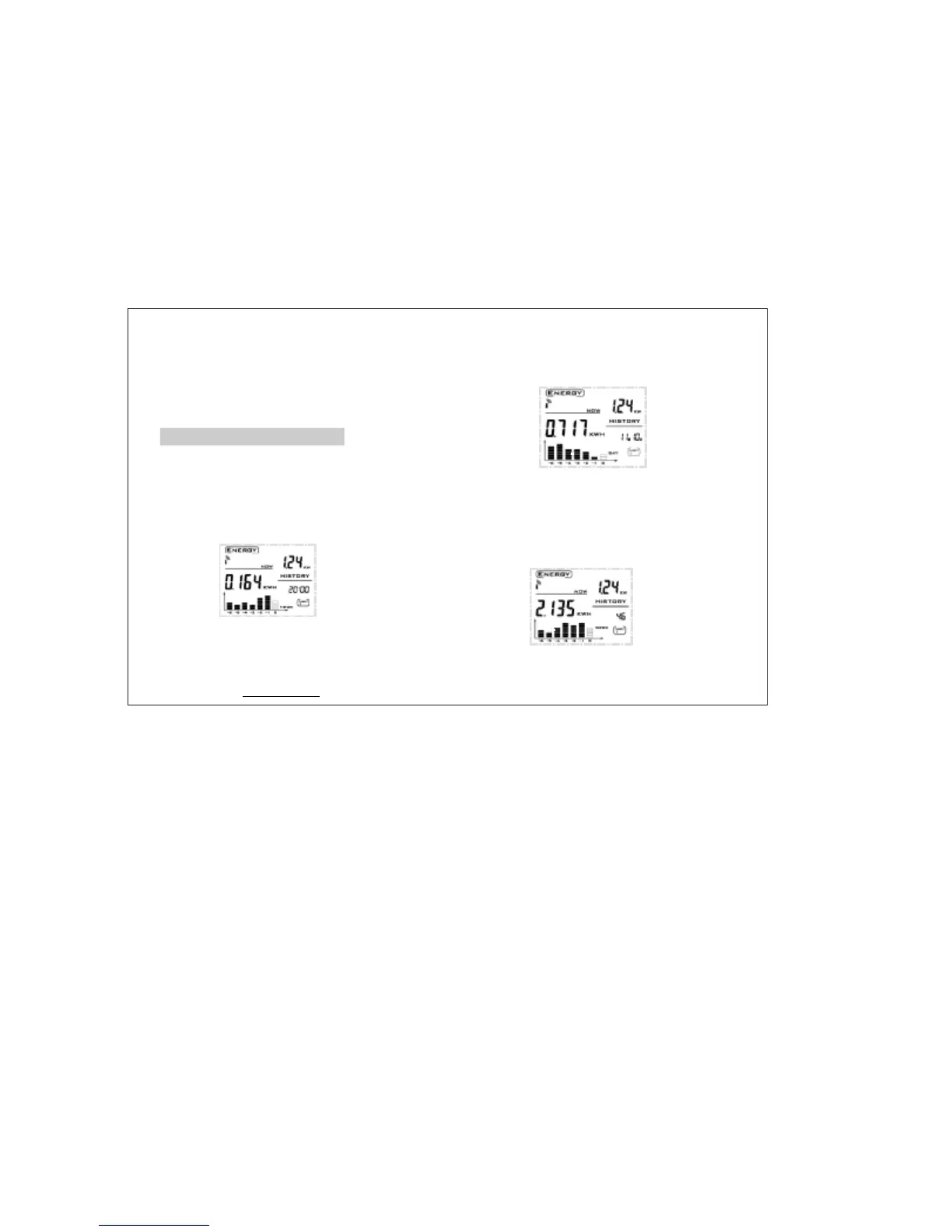
·Dateandtimedisplayaltersevery10
secondsinthelowerrightscreen.The
histograminthelowestleftscreenindicates
theusageofenergyinlast7hours.
·‘’Pressbuttononceagainto
returntocurrentENERGYdisplay.
MODE
Howtoviewhistoricaldata
·‘’
‘”
Pressbuttontoseethe
hourhistoricaldatashownby
mode,usebuttontolookupthe
usageofenergyforlast7hours,the
correspondingblockinchartwillflash.
HISTORY
perhour
BWD/FWD
buttontolookuptheusageofenergy
forlast7days,thecorrespondingblockin
histogramwillflash.
BWD/FWD
·‘’
“”
Pressbuttonagaintoseethe
historicaldatashownbyymode,use
HISTORY
perda
·‘’
“”
Pressbuttonagaintoseethe
historicaldatashownbymode,
usebuttontolookuptheusage
ofenergyforlast7weeks,thecorresponding
blockinhistogramwillflash.
HISTORY
perweek
BWD/FWD
www.mieo.com
10


 To Next Page