EasyManua.ls Logo

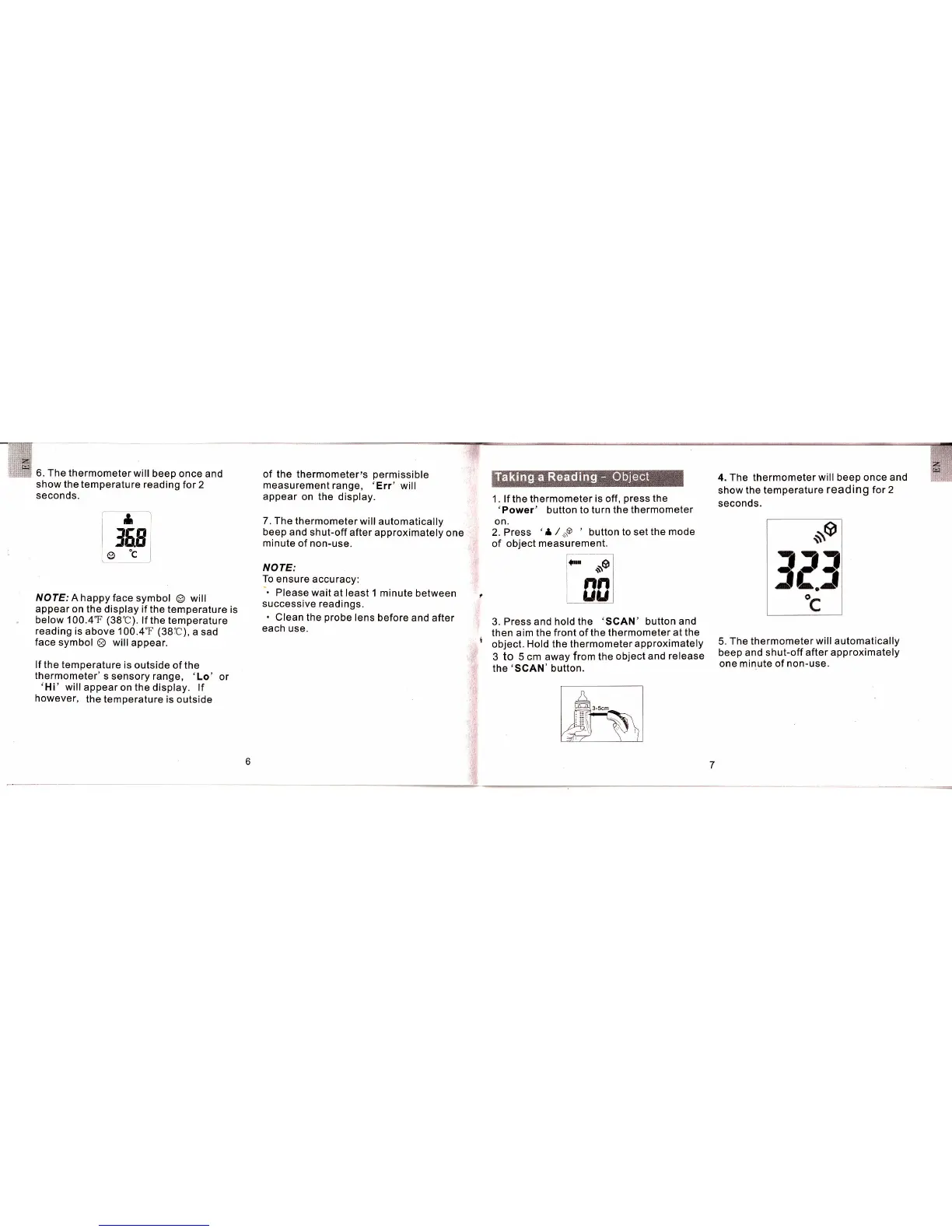
Mieo HT706 - Taking a Reading - Object

Default Icon
7 pages
Print Icon
To Next Page IconTo Next Page
To Previous Page IconTo Previous Page
Loading...
6. The
thermometer will
beep
once and
show the temperature
reading
for 2
seconds.
of the
thermometer,s
permissible
measurement
range,
'Err' will
appear
on the display.
7. The
thermometer
will automatically
beep and
shut-off after
approximately
one
minute
of non-use.
NOTE:
To
ensure
accuracy:
".
Please
wait at least 1
minute between
successive
readings.
.
Clean
the
probe
lens
before
and after
each use.
4. The thermometer will beep once and
show
the temperature reading
for 2
seconds.
5.
The thermometer will automatically
beep and shut-off after
approximately
one minute of non-use.
1 . lf the thermometer
is off
,
press
the
'Power'
button to turn
the thermometer
on.
2. Press
of objecl
'l
/.oo
'
button to set
the mode
3. Press and hold the
'SCAN'
button and
then aim the front of
the thermometer at
the
object.
Hold the thermometer
approximately
3 to 5 cm away
from the
object
and
release
the'SCAN'
button.
frl
l6E
o"c
NOTE: A happy
face symbol
@
will
appear on the
display if the
temperature
is
below 100.4T
(38C).
lf the temperature
reading
is
above
100.4'F (38C),
a sad
face
symbol
@
will
appear.
lf the temperature
is
outside of the
thermometer'
s sensory range,
'Lo' or
'Hi'
will
appear
on th; display. lf
however,
the temperature
is outside
measurement.
dts
nn
uu
r"
i
ll
1
tir