Operating Guide
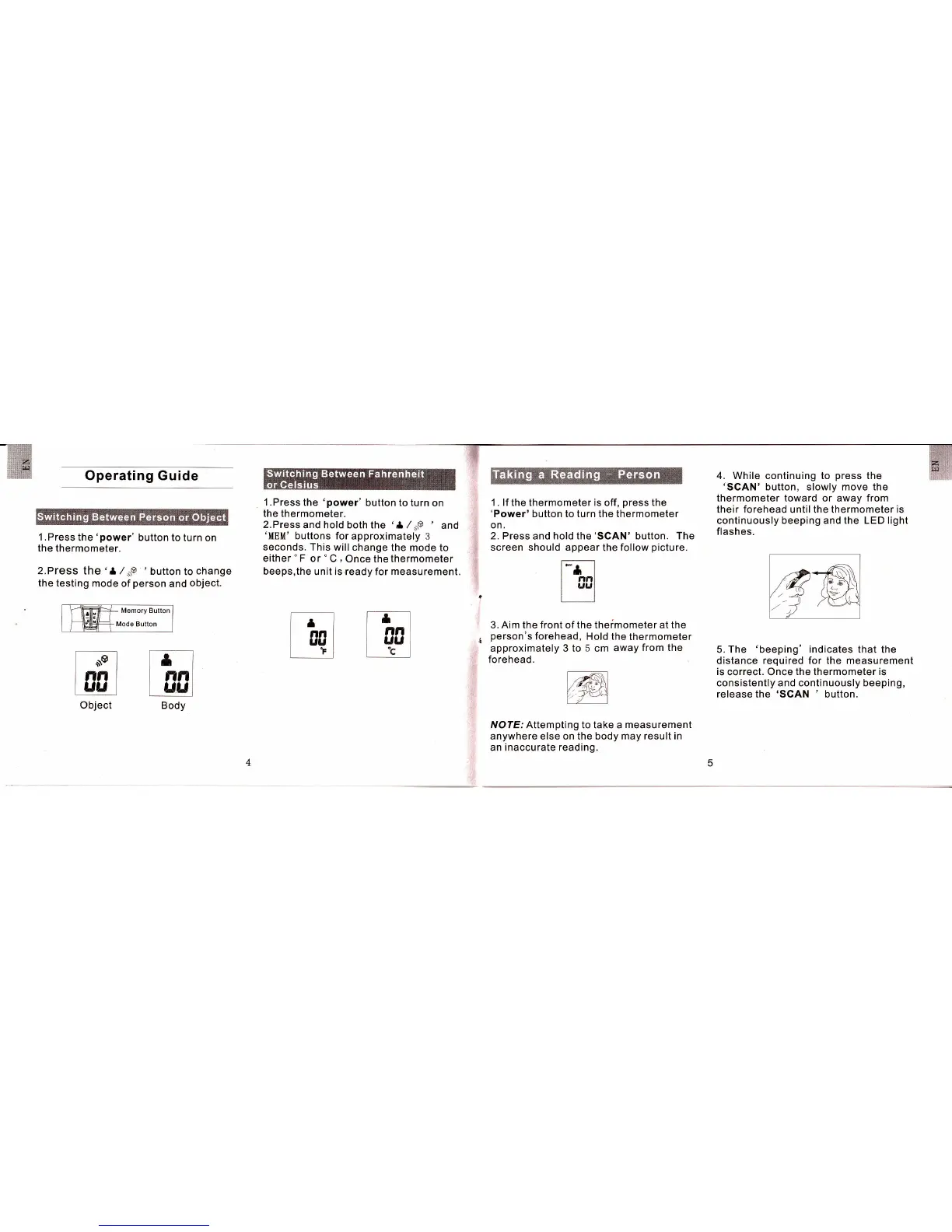
l.Press
the
:power'
button to turn
on
the thermometer.
2.PresS the
't
/*o
'button
to
change
the testing
mode of
person
and
object.
Memory Button
Mode Button
l.Press
the
'power' button to turn
on
the thermometer.
2. Press
and hold both the
'
ll
/
5o
'
and
'MEM'
buttons
forapproximately 3
seconds.
This will
change the mode
to
either
'F
or
'C
, Once
the
thermometer
beeps,the
unit is ready for measurement.
1
.
lf
the thermometer
is
off,
press
the
'Power'
button to turn the thermometer
on.
2. Press
and hold the
'SCAN'
button.
The
screen should appear
the follow
picture.
3.
Aim the front
of the
theimometer at the
person's
forehead,
l,lold the
thermometer
approximately 3
to 5
cm
away
from the
forehead.
NOTE: Attempting to take a measurement
anywhere
else on
the body may result in
an inaccurate reading.
4. While
continuing
to
press
the
'SCAN'
button, slowly move the
thermometer
toward
or away
from
their forehead until the thermometer is
continuously
beeping
and
the LED light
flashes.
5. The
'beeping'
indicates
that the
distance required for the measurement
is
correct. Once
the
thermometer
is
consistently and continuously beeping,
release
the
'SCAN
' button.
ri
'lr
t/i
r-l
lnn
LUU]
Body
Object



 To Next Page