1. Open the battery compartment Remove the battery from the packaging.
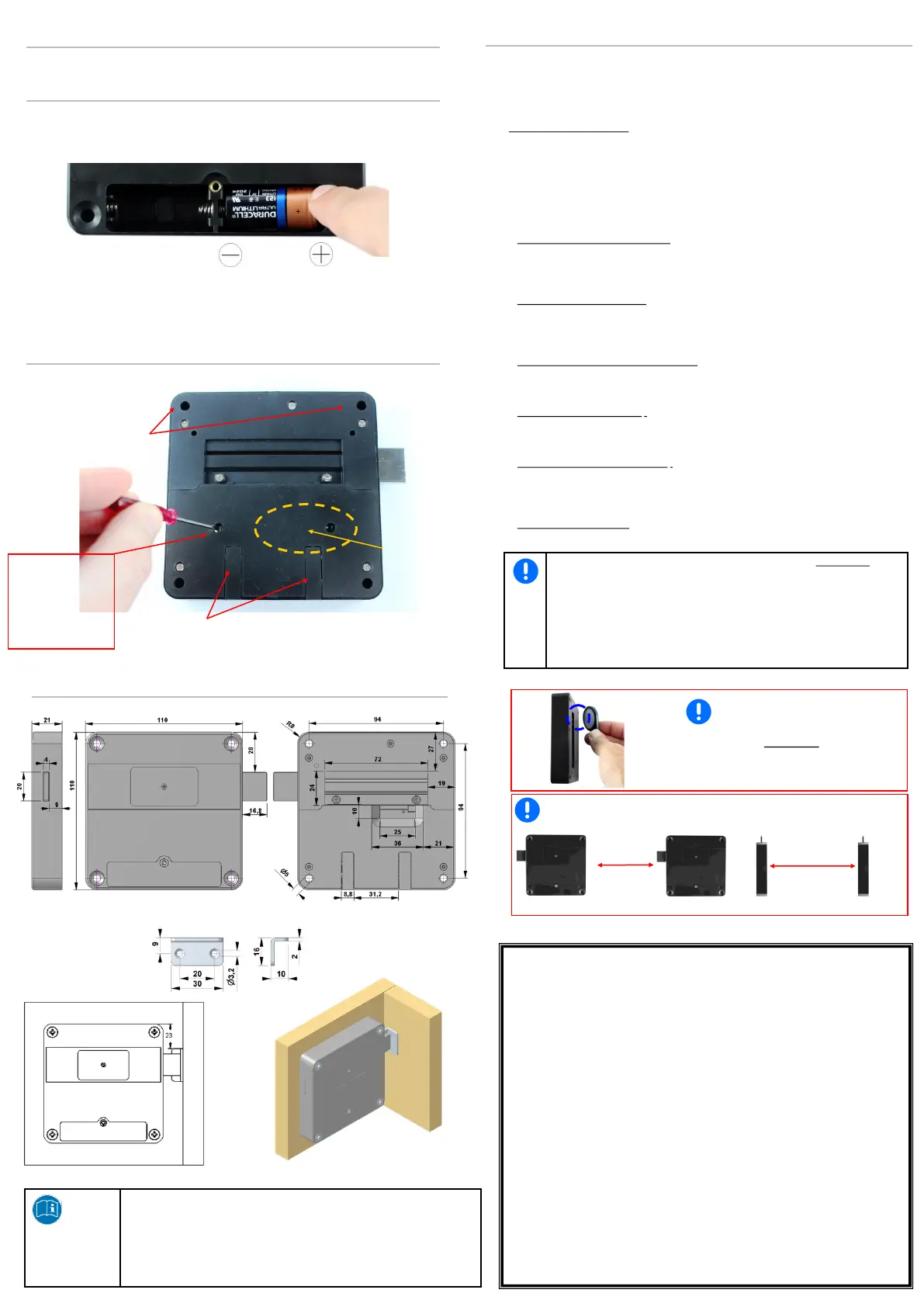
2. Insert the battery with the correct polarity (+/-) in the battery compartment.
3. Close battery compartment cover
The device is ready for programming. The reader antenna is activated!
Important: Take the battery out for storage and transport!
When unpacking, check whether the components as per the description are present.
Dispose of the packaging in accordance with the applicable regulations of your country.
Locker lock Freelocker installation
Insert battery
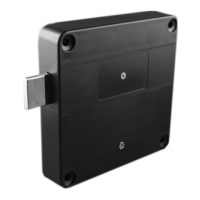
Locker lock Freelocker general survey
Program the Locker lock Freelocker
Install Locker lock Freelocker on furniture body and door
EEC Declaration of Conformity
in accordance with the directives
2004/108/EC Directive on electro-magnetic compatibility (EMC)
1999/5/EC 1999 Directive on radio equipment and telecommunications
terminal equipment and the mutual recognition of their
conformity (R&TTE)
2002/96/EC 2003 Directive on waste electric and electronic equipment
(WEEE)
2011/65/EC Directive on the restriction of the use of certain hazardous
substances in electrical and electronic equipment (recast)
for the product: Locker lock Freelocker Mifare®
The following harmonised standards are applied:
EN 300330.2 V1.3.1 : 2006
EN 301489-3 V1.4.1 : 2002
EN ISO 12100: 2010
EN 50364 : 2010
Screwing holes
Holes for the cable when using an
external antenna
bolt
Note!
The lock assembly of furniture and the closing part must always be mounted so
that the door in the closed state has at least 0.5 mm distance. This tolerance is
necessary for the emergency opening in case of the low battery. Make sure that
the transponder used have a very good reading quality. There should always be a
comfortable reading distance be available from the front of the cabinet of at least
5-10 mm . The mounting distance between two locks should be approx. 10 cm.
There is otherwise a risk of interference of the fields of the card reading panels.
That can cause discharge of the battery.
On delivery, the lock is neutral. Programming can be carried out/altered at any time, as described
in the following. Standard configuration means wheater the programming card nor the transpon-
der is programmed. The audible signal is „on“ and the mode „Freelocker“ is activated. The pro-
gramming procedure as described in the following, can be done/changed at every time.
1.) Create programming card: Press and hold the programming button of the lock, until a long
beep sounds, the memory in the lock will be deleted. The lock is now waiting for the first program-
ming card. First hold the programming card once to the identification zone, you will hear a ticking -
> while the ticking you can programm two more programming cards (max. 3 programming cards/
each lock)
The programming card(s) is (are) now stored.
Note: When using a new programming card the memory will be erased (long signal). If the
programming button has been pressed too short the lock begins to tick, and an alarm will sound.
You have now turned the identification signal off (see point 7).
2.) Add transponder, lock the locker lock: Hold the transponder on the card reader panel.
An audible signal appears, the locker lock is locked. The tranponder is stored.
Note: The transponder is programmed automatically by the lock and therefore cannot
block any other latch lock.
3.) Unlocking Freelocker latch lock: Hold the transponder once against on the card reader panel.
The confirmation signal is sounded again, the latch moves back and the lock opens.
Note: The programming on the transponder is removed. The transponder can lock another
Freelocker locker lock.
4.) Emergency opening with programming card: Hold the programming card to the reader panel,
the lock starts ticking, while ticking hold the programming card twice against on the reader (twice
short beep to confirm).
The lock open, the latch is moved into the open position. The transponder is stored.
5.) Delete all stored transponders: Hold the programming card to the reader panel, the lock starts
ticking, while ticking hold the programming card 4x against the card reader panel.
The transponder is deleted, the latch is moved into the open position.
6.) Delete all stored programming cards: Hold the programming card to the reader panel, the lock
starts ticking, while ticking hold the programming card 6x against the card reader panel.
All saved programming cards are deleted, the latch is moved into the open position. Now you
can create new programming cards — see Point 1). The transponder is stored.
7.) Switch signal tone on or off: keep the programming button pressed for max. one second.
The signal tone is switched off/on.
After a RESET = 3 seconds press button, is the lock always in default Mode, all
transponders are cleared and the lock is ready for the programming card (s).
The Freelocker latch lock is programming during the write-/read process the
Mifare® Transponder. When locking the lock information is written to the trans-
ponder. This information is needed so that the transponder can unlock the lock.
When unlocking the cabinet this information is automatically deleted on the
transponder.
Deleting the locked information on the transponder can also be done with the
separate accessories "Segment Cleaner".
Card reader panel
Programming button
(RESET)
Press careful:
- RESET - 3 seconds
- Sound on / off -
1 short press
min. 10cm min.20cm
Important!
RFID reading distance
ISO14443a KeyFob up to 20 mm
ISO14443a cards up to 30 mm
Check reading distance after assembling!
Important! Assembling distance for RFID Signal (alternative - external antenna)


 To Previous Page
 Loading...