
 Need help?
Do you have a question about the Miha BODYTEC II and is the answer not in the manual?
Details the components included in the miha bodytec II package.
Explains the basic principles and benefits of EMS training.
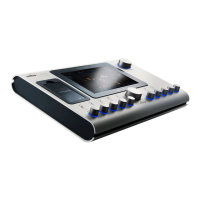
Describes the controls and display elements on the top of the control unit.
Details the ports and switches located on the underside of the control unit.
Lists and describes the various accessories and components of the miha bodytec II system.
Describes the wireless stimulation unit for body attachment via Bluetooth.
Explains electrodes for applying to arms and legs, with size details.
Explains the purpose and type of undergarments for use with the device.
Provides contact information for technical support and headquarters.
Details the device's purpose for muscle stimulation and specific conditions it addresses.
Warns about incorrect operations and prohibited application areas to avoid hazards.
Lists health conditions that contraindicate the use of the EMS device.
Outlines responsibilities of athletes/patients and trainers for safe EMS training.
Highlights general warnings and risks associated with the device's use.
Warns about potential dangers when using the device with other medical equipment.
Details risks associated with power supply and electrical safety precautions.
Provides warnings and instructions for proper hygienic cleaning of the device.
Summarizes essential knowledge for trainers and athletes regarding device operation and safety.
Lists conditions requiring caution or contraindicating device use.
Warns against unauthorized repairs and outlines procedures for defects.
Explains the FDA MedWatch program for reporting adverse events.
Explains device symbols on front/back and details on rating plates.
Explains symbols related to cleaning instructions for the device.
Provides guidelines for proper disposal of the device and its components.
Summarizes key technical specifications of the miha bodytec II device.
Lists the international and national standards the device complies with.
Details the device's compliance with FCC regulations for digital devices.
Provides caution regarding Canadian radio frequency standards and exemptions.
Outlines EMC compliance, emissions, and immunity guidance for the device.
Provides guidance on electromagnetic emissions and the environment of use.
Provides guidance on electromagnetic immunity and the environment of use.
Details warnings regarding equipment use and performance degradation.
Emphasizes safety and controlled training over experimentation and uncontrolled increases.
Explains what EMS training is, its principles, and its special features/benefits.
Highlights considerations for EMS training, frequency, and regeneration.
Provides recommendations on training frequency and recovery to avoid overtraining.
Stresses the importance of adequate nutrition and hydration for EMS training.
Defines key terms and functions related to the device's operation and features.
Explains how to back up and restore device settings and training plans.
Details the use of brand codes for factory settings and warnings about improper entry.
Illustrates how symbols on controllers correspond to body areas for strength adjustment.
Guides on navigating and opening different menu tabs on the device.
Explains the device's menu structure, status bar, and item availability.
Details how menu item colors indicate selection status and lock state.
Provides steps for selecting and opening menu items and submenus.
Explains how to navigate and apply settings within submenus.
Describes how to access the main menu from different device states.
Guides on how to input text for custom settings and person-specific data.
Explains how to configure general device settings like color, brightness, and language.
Lists adjustable parameters within the device settings menu.
Lists the available menu languages and how to select them.
Details setting the default language for all users and customizing per user.
Explains how to view and manage training programs stored in memory.
Lists parameters that can be set within the "Program memory settings" menu.
Guides on creating and managing training plans.
Details parameters available for setting up training plans.
Explains how to set up multiple devices for synchronized training.
Lists configurable parameters for synchronized start mode.
Provides steps to configure a device as the master in synchronized training.
Details the setup process for managed devices in synchronized training.
Explains how trainers can set up and manage favorite workouts for athletes.
Guides on how to create backups of device settings and data to a USB drive.
Explains how to restore or import data from backups using a USB drive.
Outlines the process and confirmation steps for restoring data.
Provides instructions and warnings for installing software updates.
Warns about risks from computer viruses and how to prevent them.
Describes the device's Wi-Fi capability for data exchange with the LOGX portal.
Details how to reset the device to factory settings and when to contact support.
Guides on how to view device runtime and program statistics.
Provides nutritional guidelines and fluid intake recommendations before training.
Explains the importance of correct undergarments and shoes for EMS training.
Guides on properly moistening and applying electrodes, with warnings.
Warns about risks from incorrectly attached cables and proper supervision.
Warns about injury risks when detaching/connecting cables during operation.
Explains how to select the correct size for i-body® vests and accessories.
Provides step-by-step instructions for moistening electrodes with the spray bottle.
Steps for preparing the i-body® vest for use.
Instructions on how to wear the i-body® vest correctly.
Details how to put on and secure the i-body® straps flex on the arms.
Instructions for pre-stretching and strapping the i-body® flex on the arm.
Guides on applying and connecting i-body® straps flex to the legs.
Instructions for moistening, connecting, and wearing the i-body® belt.
Warns about connecting while a program is active and how to connect the control unit.
Covers electrical safety, operation without column, and condensation risks.
Details risks from power supply and electrical safety measures.
Warns about risks of operating the device if not properly mounted on the column.
Step-by-step guide on connecting the control unit to the power supply.
Instructions for securely mounting the control unit onto the device column.
Explains the need for individual adjustment of settings based on user sensitivity.
Provides instructions on how to adjust the grab handle height.
Guides on adjusting settings for correct training techniques and therapy.
Defines key parameters like pulse intensity, duration, frequency, and width.
Lists available training programs with their parameters and descriptions.
Introduces training plans that combine programs with exercises for specific targets.
Covers general training aspects, program selection, and emergency situations.
Warns about risks associated with incorrect program selection and parameter checks.
Outlines trainer's role in emergencies, including intervention and first aid.
Details how to increase intensity and limitations on controllers.
Guides on how to pause and resume a training session.
Step-by-step guide on how to start and conduct a workout session.
Explains the function and importance of the transponder system.
Warns about mixing up transponder cards and incorrect parameters.
Guides on formatting and setting up a new transponder card.
Explains how to use the transponder card to start programs and manage workouts.
Guides on linking user settings to transponder cards for synchronized training.
Explains how to set and save individual language preferences on transponder cards.
Outlines the process for conducting synchronized training sessions with multiple devices.
Provides instructions and warnings for safely detaching electrodes and cables.
Warns against pulling cables to detach accessories, to prevent damage.
Covers cleaning procedures and storage guidelines for the device and accessories.
Details proper methods and agents for cleaning the i-body® components.
Warns about material damage from incorrect cleaning methods and agents.
Specifies the recommended intervals for cleaning different device components.
Provides detailed instructions for hand washing and machine washing of i-body® components.
Gives ambient conditions and guidelines for storing accessories to maintain their condition.
Explains how to clean external cables, warning against improper methods.
Provides instructions for cleaning the control unit's surfaces and display.
Warns about material damage from improper cleaning of the control unit.
Explains the meaning of various symbols found on product packaging.
Outlines conditions for transporting and storing the device packages.
Lists specific conditions for storing packages, including temperature and humidity.
Reiterates warnings about incorrect disposal and contact for questions.
Explains the type of battery and proper disposal methods for it.
Outlines service work and checks required at regular intervals for device maintenance.
Specifies checks and maintenance tasks to be performed before, after, and periodically.
Recommends replacing electrodes after 12 months for optimal function.
Guides on how to identify, fix, and report device error codes.
 General
| Category | Fitness Equipment |
|---|---|
| Type | EMS Training Device |
| Technology | EMS (Electrical Muscle Stimulation) |
| Frequency Range | 1-120 Hz |
| Pulse Width | 50-400 µs |
| User Interface | Touchscreen |

 To Next Page