2.0. Compatible Accessories See our website for the following add on accessories:
• SEAMINI2 – AUX input extension with protective outlet housing
• SEAUSBMINI – AUX input and USB input extension with protective housing
• MIL-IDOCK – multimedia device protective storage drawer
• MIL-RF9-21 – RF remote with compatible adapter (except PO H06804912 which does not have the connection)
• MIL-plate1
• Any Antenna
• MIL-MA-100 (high pass wiring only)
3.0. List of common issues
3.1 No Power
• Check each button on the control pad for sticking. Under normal conditions, a faint click is heard upon pressing
each button. If any button does not click, initiate a warranty claim.
• Ensure red and yellow leads are connected to a good 12V+ source. Both must have power for the radio to turn on.
• Ensure black ground wire is connected to a good reliable ground source.
• Open the fuse holder and check the fuses. Note, while in most situations, a bad fuse can be spotted visually, this
may not always be the case. The best method would be to use a multi-meter or a test light.
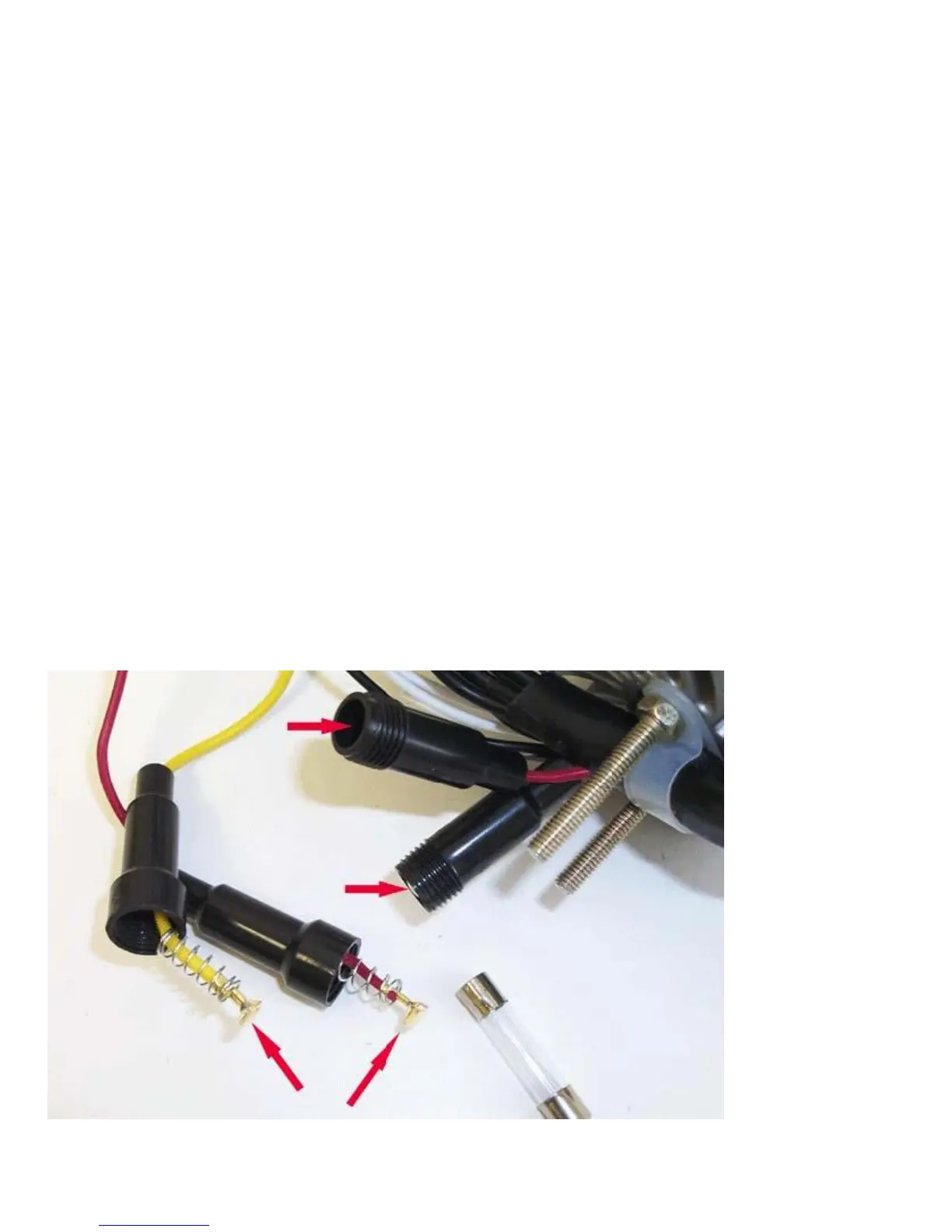
• While the fuse holders are open, inspect the fuse holder terminals to ensure they have spring tension and they are
not stuck down inside the fuse holder(s). Also inspect the fuses and terminals for rust and corrosion. See below picture
• Ensure the battery/power supply is putting out at least 12V while under load. The radio requires at least 11V to
operate normally.
• Check all connections for corrosion, looseness, or other condition that can produce a bad ground. Corrosion or
terminal looseness is the leading cause for most grounding issues and can cause excessive heat resulting in melting wires or
terminals.
• If possible, connect the radio power directly to a 12V system, bypassing any toggle switches. If radio
works connected directly to power, the problem might be with the toggle switch.
• If the above doesn’t help, initiate a warranty claim if you are within warranty.


 To Next Page
 Loading...