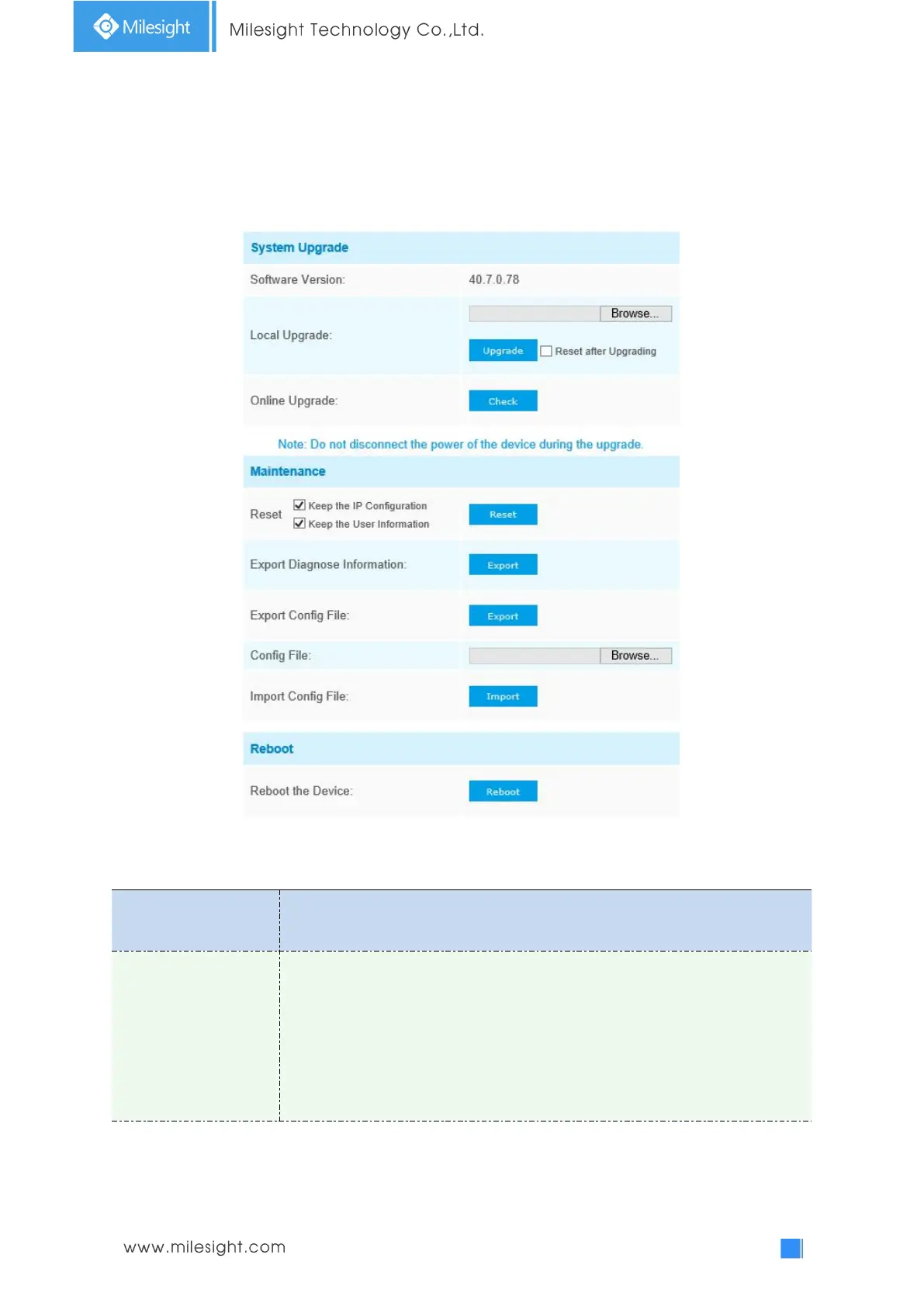
Software Version: The software version of the camera.
Local Upgrade: Click the “Browse” button and select the upgrading file, then click
the “Upgrade” button to upgrade. After the system reboots successfully, the
update is done.
You can check “Reset after Upgrading” to reset the camera after upgrading it.
Online Upgrade: Click the "Check" button to check the current latest firmware
version on our website, and then click "OK" to upgrade to this version.











 To Next Page