2
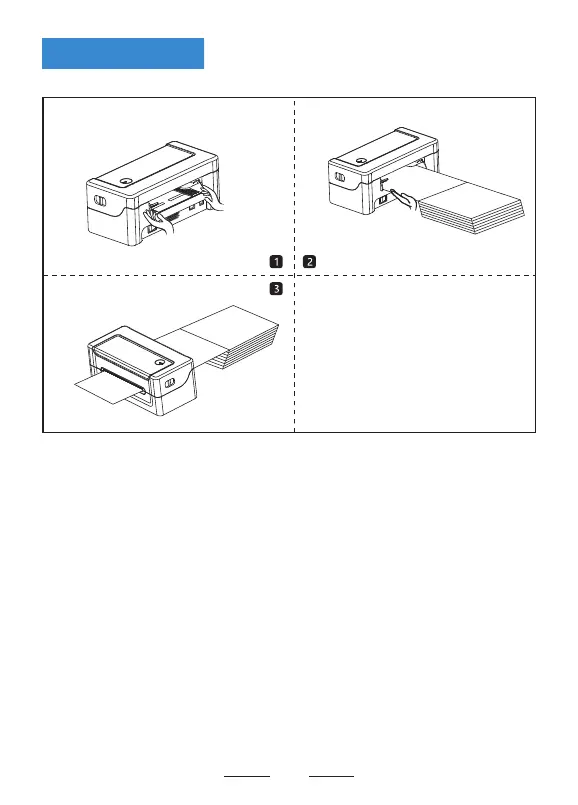
(1) Facing the back of the machine, hold the paper guide with both hands, and adjust
the distance between the left and right guides according to the folded paper size.
(2) Insert the folded paper into the paper guide.
(3) Confirm that the printer has detected paper feeding, automatically feeds paper
and delivers paper normally.
Loading Paper


 To Next Page