4
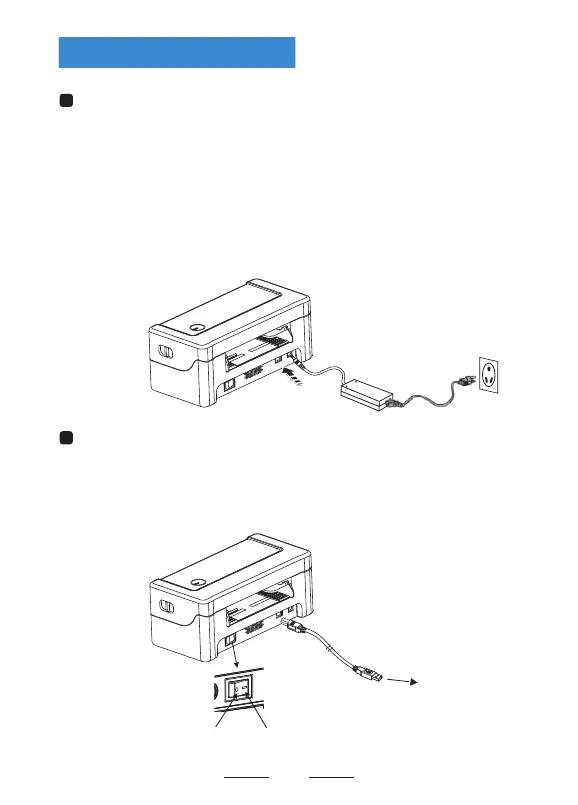
(1) Confirm that the power switch is in off (0) state.
(2) Connect the power adapter to the printer.
(3) Connect the power line to the power adapter.
Use the special power adapter for the printer.
The connection diagram is as follows:
Connect the power line
(4) Connect the other end of the power line to a nearby socket.
(1) Connect the USB cable to the printer.
(2) Connect the USB cable to the PC host.
(3) Turn the power switch to on (I) state.
Connect the USB cable
Switch on Switch off
Connect to the PC host
Printer UnpackingConnecting the Printer


 To Next Page