4 Installation and starting up
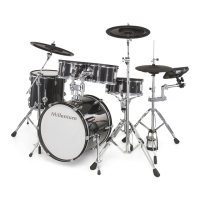
Rack setup and assembly of the pads and pedals are described in detail in the enclosed set
assembly guide. Finally check that all cables between the pads and the drum module have
been properly connected.
Connect the supplied D-sub plug of the pad connector cable to the D-sub input socket on the
bottom side of the drum module.
Rack setup, connecting pads
and pedals
Connecting the pads
Installation and starting up
MPS-750X, MPS-750X PRO
11
E-Drum Module



 To Next Page