More Modes
Press “Power Button” until pop up selection box, you can click open/close
below small icon, which include Quiet, Vibration, Flight Mode.
Lock screen and Unlock
If you set sleep mode (set system default time) or if you don’t operate the
machine within 1 minute, the tablet could be auto locked, and close screen to
save power. You won’t have any operation but still can enjoy music, answer
photo. Press “Power Button” activate screen, Drag below icon to unlock circle to
realize unlock. (If you set “Lock Screen”, you have to use set password to unlock
screen.)
Adjust Volume
Press the volume leys to adjust volume of the device.
Change the Orientation
Tablet has the ability to retain the orientation of the screen in horizontal view
even when rotated by 90 or multiple of 90 degree.
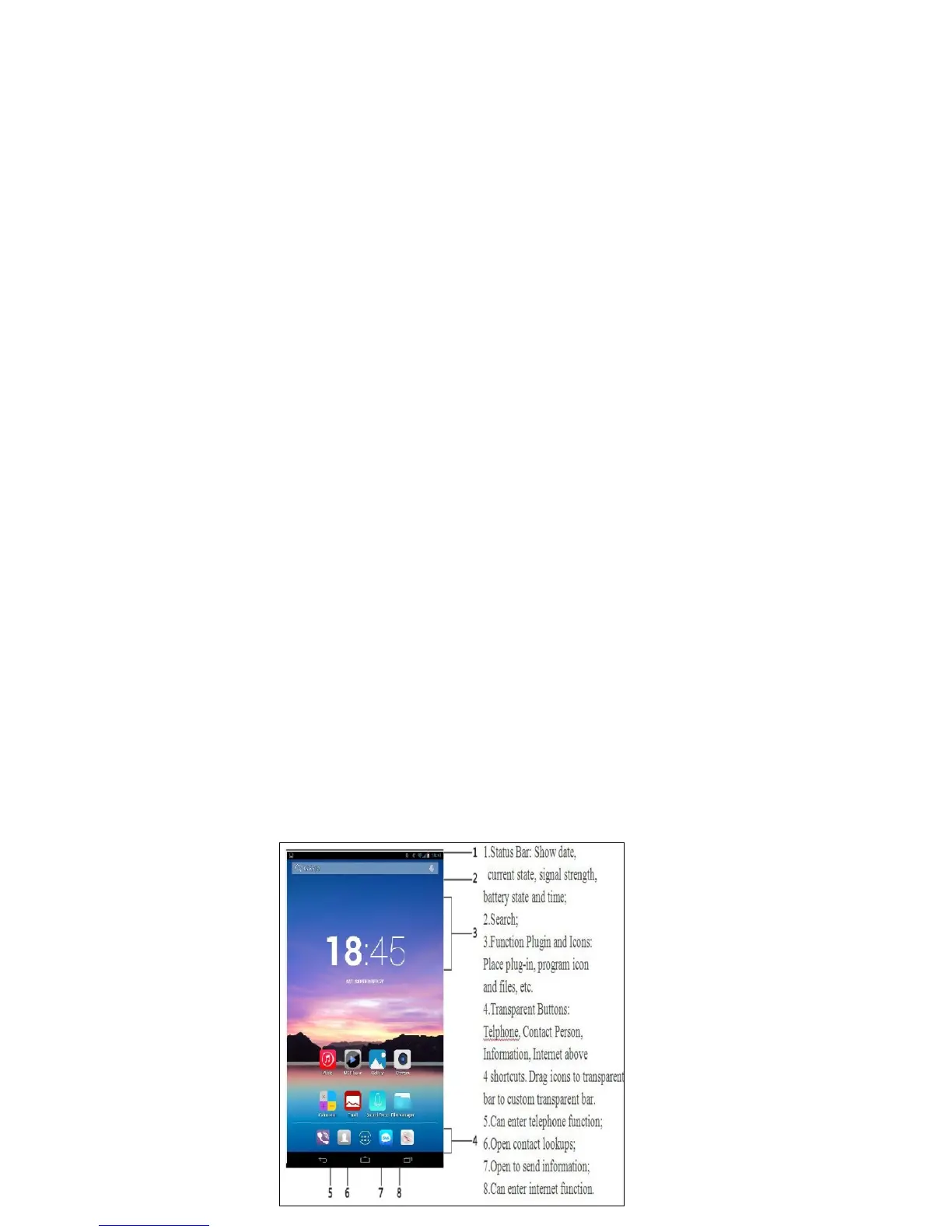
Main Screen
Main Screen can show application icon, all kinds of control, folder options,
weather and message, at the same time you can use different wallpaper set
main screen.
Main Screen Icons


 To Next Page
 Loading...