Need help?
Do you have a question about the Milre MI-7800 and is the answer not in the manual?
Details core functions like handle conversion, auto safety, locking modes, and alarm systems for the doorlock.
Explains mischief prevention, random security coding, and mode selection (Normal/Security) for enhanced user control.
Lists and illustrates all parts included in the doorlock package, such as the main units, mortise lock, and accessories.
Details default settings for auto/manual lock, language, modes, volume, and handle direction for initial configuration.
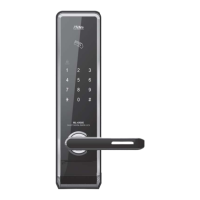
Identifies and explains the functions of components on the front assembly, including sensors, keypad, and indicator lamps.
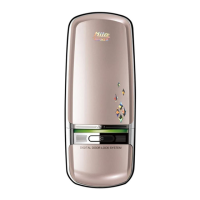
Describes the back assembly components and provides instructions for setting the safety handle function for enhanced security.
Explains shortcut icons, battery replacement, emergency power usage, and the mechanical override key.
Guides on unlocking and locking from the outside using secret codes, card keys, or fingerprints, including mute options.
Details how to set and operate auto-locking and manual-locking modes, along with language selection for the interface.
Describes how to unlock and lock the door from the inside using auto-locking or manual-locking modes.
Explains setting up double locking, safety handle functions, and auto-relocking for improved security and convenience.
Provides step-by-step instructions for switching the doorlock between Normal mode and Safety mode for different security levels.
Details the process for registering secret codes, card keys, and fingerprints when the doorlock is in Normal mode.
Explains how to register/delete items in Safety Mode and manage manager codes and cards for enhanced security control.
Guides on adjusting voice and operation volumes, setting guest codes, checking status, and configuring safety handle functions.
Details warning functions for mischief/hacking attempts and trespassing by force, including alarm triggers and illegal entry alerts.
Information on optional communication packs and remote keys, including installation and registration procedures for wireless operation.
 General
| Emergency Key | Yes |
|---|---|
| Auto-Locking | Yes |
| Access Methods | PIN Code, RFID Card, Mechanical Key |
| Power Source | Battery |
| Battery Life | 12 months |
| PIN Length | 4-8 digits |
| Features | Anti-theft alarm, Low battery alarm |

 To Next Page