
 Need help?
Do you have a question about the Miltenyi Biotec UltraMicroscope Blaze and is the answer not in the manual?
Provides general safety instructions for personal safety and correct instrument use.
Explains signal words like WARNING, CAUTION, NOTICE for hazard communication.
Lists and defines various safety symbols used on the instrument and in the manual.
Instructions on observing, cleaning, inspecting, and replacing safety labels.
Details hazards related to electricity, short circuits, overheating, fire, and explosion.
Covers safety of protective housing, cables, and power supplies.
Warns about liquids causing short circuits and how to handle them.
Addresses hazards from humidity, condensation, or dust and precautions for use.
Covers contamination or infection risks from biological material and necessary precautions.
Warns about hazardous substances and reagents and necessary safety measures.
Safety precautions related to the movement of the motorized turret.
Warns about laser beams, potential eye injury, and safety practices.
Addresses risks of falling instruments causing injury and heavy instrument handling.
Covers tripping and slipping hazards in the work environment.
Discusses hazards from improper servicing and safe transportation practices.
Guidelines for careful transport of the instrument to prevent internal damage.
Information on proper disposal of electrical and electronic equipment (WEEE).
Overview of the UltraMicroscope Blaze™ system, its capabilities, and features.
Defines the intended use, limitations, and user requirements for the instrument.
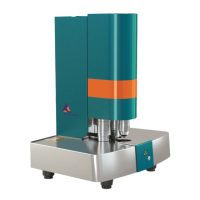
Describes the physical components and layout of the instrument.
Details components visible from the front and rear of the instrument.
Describes specific equipment or controls, such as the jog wheel.
Lists and describes the components included in the delivery of the imaging system.
Lists optional accessories available for the UltraMicroscope Blaze™ Imaging System.
Lists consumables that need to be ordered separately for the instrument.
Provides instructions and precautions for unpacking and installing the instrument.
Step-by-step guide for powering on the UltraMicroscope Blaze™ Imaging System and components.
Step-by-step guide for powering off the UltraMicroscope Blaze™ Imaging System and components.
Overview of the icons and functions within the ImSpector software interface.
Emphasizes caution when handling samples and reagents due to biological hazards.
Instruction to verify the instrument is powered on before proceeding.
Guides the user to move the motorized turret to its resting position.
Instructions for removing, filling, and re-seating the cuvette.
Details using a syringe to fill the cuvette to a specific level.
Instructions for lifting the cuvette and closing the drawer.
Explains how to align light sheets for optimal image contrast and resolution.
Provides instructions and safety warnings for setting up the laser beam path.
Guides placement of the alignment tool and selection of wavelengths.
Setting laser transmission and starting live preview for alignment.
Procedure to align beams through the pinhole foil for precise calibration.
Selecting objective lens and moving turret for alignment.
Fine-tuning laser transmission and using crosshair for accurate beam alignment.
Adjusting Sheet NA and other properties for optimal light sheets.
Adjusting Sheet Width to maximum for optimal light sheet properties.
Activates only the central beam for alignment adjustments.
Procedure for aligning the central beam to the mask's pinhole.
Detailed steps for adjusting the horizontal focus of the light sheet.
Adjusts offset calibration for horizontal focus.
Maximizes beam intensity and saves the adjusted horizontal focus settings.
Guides the adjustment of lateral laser beams on the right side.
Deactivates the central beam to work on lateral beams.
Adjusts the z-direction of lateral laser beams for alignment.
Re-enables all three beams for final alignment check.
Defines ROI for intensity profile analysis and verifies adjustment.
Provides steps for aligning the central beam on the left side.
Selects the left light sheet for alignment.
Activates the central beam for left-side alignment.
Uses adjustment screw z1 for height alignment of the central beam.
Guides the adjustment of lateral laser beams on the left side.
Deactivates central beam for lateral beam adjustment on the left.
Adjusts the z-direction of lateral beams on the left side.
Re-enables all beams for final left-side alignment check.
Defines ROI for intensity profile analysis on the left side.
Verifies left-side alignment quality using the Brain button.
Returns the alignment tool to its reference position.
Detailed steps for capturing a single-color z-stack image.
Instructions for aligning the sample within the cuvette for imaging.
Selects the XYZ table device for z-stack acquisition.
Configures autosave settings and storage location for image data.
Sets up objective lens, wavelengths, and laser power for imaging.
Chooses light sheet configuration and initiates live preview.
Fine-tuning settings for optimal image quality and contrast.
Defines ROI and adjusts image contrast/brightness.
Displays and adjusts horizontal focus, Sheet NA, and Sheet Width.
Step-by-step instructions for capturing a single image.
Guides on capturing multi-color z-stack images.
Configures devices for multi-color acquisition.
Activates autosave and configures channels for multi-color imaging.
Sets laser power per filter and corrects chromatic aberrations.
Refers to the general image capture procedure for multi-color stacks.
Instructions for capturing mosaic images by stitching multiple fields of view.
Selects mosaic mode and accesses the mosaic acquisition interface.
Defines the mosaic area by adjusting boundary dots.
Sets the overlap percentage between adjacent mosaic tiles.
Refers to the general image capture procedure for mosaic images.
Recommendation for periodic servicing and contact information for support.
Instructions and precautions for cleaning the instrument's exterior.
Steps for properly cleaning the cuvette without damage.
Lists general and operating specifications for the imaging system.
Declares that the product conforms to relevant EU directives and standards.
Outlines the terms and conditions of the limited warranty for the product.
Lists trademarks registered by Miltenyi Biotec and other companies.
 General
| Brand | Miltenyi Biotec |
|---|---|
| Model | UltraMicroscope Blaze |
| Category | All in One Printer |
| Language | English |

 To Next Page