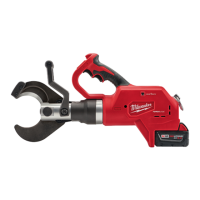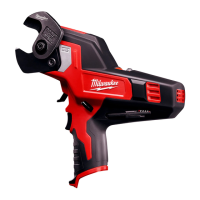
Why is 1 LED flashing on my Milwaukee 2472-20 Cutter?
- GgonzalezcharlesJul 26, 2025
If 1 LED is flashing on your Milwaukee Cutter, it means the battery is nearing its end of charge. Consider replacing or recharging the battery.
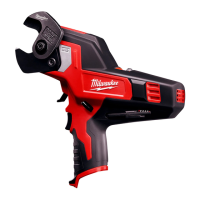
Why is 1 LED flashing on my Milwaukee 2472-20 Cutter?
If 1 LED is flashing on your Milwaukee Cutter, it means the battery is nearing its end of charge. Consider replacing or recharging the battery.
Keep work area clean and well lit. Cluttered or dark areas invite accidents.
Power tool plugs must match the outlet. Never modify the plug in any way.
Stay alert, watch what you are doing and use common sense when operating a power tool.
Recharge only with the charger specified by the manufacturer.
Push in the release buttons and pull the battery pack away from the tool.
Replace the blades when they become dull or chipped. Always replace blades as a set.
Pull the trigger to display the battery pack's remaining run time.
Select low speed (1) for harder materials. Select high speed (2) for softer materials.
Do not cut short pieces of material that put fingers near blades. Blade is sharp.
Use low speed and cut further in from the end of the material to avoid crooked cuts.
If the blade becomes jammed in the material, all fuel gauge LEDs will blink.
Keep your tool, battery pack and charger in good repair by adopting a regular maintenance program.
Clean dust and debris from vents. Keep handles clean, dry and free of oil or grease.
For repairs, return the tool, battery pack and charger to the nearest service center.
Keep work area clean and well lit. Cluttered or dark areas invite accidents.
Power tool plugs must match the outlet. Never modify the plug in any way.
Stay alert, watch what you are doing and use common sense when operating a power tool.
Recharge only with the charger specified by the manufacturer.
Push in the release buttons and pull the battery pack away from the tool.
Replace the blades when they become dull or chipped. Always replace blades as a set.
Pull the trigger to display the battery pack's remaining run time.
Select low speed (1) for harder materials. Select high speed (2) for softer materials.
Do not cut short pieces of material that put fingers near blades. Blade is sharp.
Use low speed and cut further in from the end of the material to avoid crooked cuts.
If the blade becomes jammed in the material, all fuel gauge LEDs will blink.
Keep your tool, battery pack and charger in good repair by adopting a regular maintenance program.
Clean dust and debris from vents. Keep handles clean, dry and free of oil or grease.
For repairs, return the tool, battery pack and charger to the nearest service center.
Loading...