EasyManua.ls Logo

Milwaukee 2592-20 - User Manual

Milwaukee 2592-20
2 pages
Print Icon
To Next Page IconTo Next Page
Loading...
OPERATOR'S MANUAL
Cat. No.
2592-20
TO REDUCE THE RISK OF INJURY, USER MUST READ AND UNDERSTAND OPERATOR'S
MANUAL.
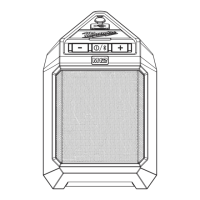
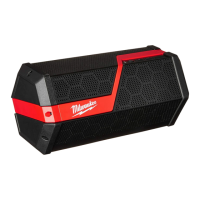
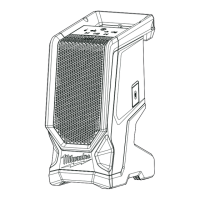
M12™ JOBSITE SPEAKER
Question and Answer IconNeed help?

Do you have a question about the Milwaukee 2592-20 and is the answer not in the manual?

Summary

Milwaukee M12 Jobsite Speaker Operators Manual

Important Safety Instructions

Specific Safety Rules

Rules regarding label maintenance and power source compatibility for the apparatus.

Functional Description

Assembly

Inserting;Removing the Battery

Instructions for installing and removing the battery pack from the speaker unit.

Fuel Gauge

Explanation of the battery fuel gauge indicator and its behavior.

Battery Pack Protection

How the speaker protects the battery from over-discharge.

Connecting an Auxiliary Device

Guide for connecting external audio devices via the AUX IN jack.

USB Power Outlet

Details on the USB outlet for charging devices or powering other electronics.

Operation

Turning On;Off and Connecting to Bluetooth

Steps for powering the speaker, pairing Bluetooth devices, and connecting.

Volume Control

Instructions on how to adjust the speaker volume.

Maintenance

Maintaining Tool

Guidance on keeping the tool, battery pack, and charger in good repair.

Cleaning

Instructions for cleaning the tool, battery pack, and charger vents and surfaces.

Repairs

Information on where to return the tool for necessary repairs.

Summary

Milwaukee M12 Jobsite Speaker Operators Manual

Important Safety Instructions

Specific Safety Rules

Rules regarding label maintenance and power source compatibility for the apparatus.

Functional Description

Assembly

Inserting;Removing the Battery

Instructions for installing and removing the battery pack from the speaker unit.

Fuel Gauge

Explanation of the battery fuel gauge indicator and its behavior.

Battery Pack Protection

How the speaker protects the battery from over-discharge.

Connecting an Auxiliary Device

Guide for connecting external audio devices via the AUX IN jack.

USB Power Outlet

Details on the USB outlet for charging devices or powering other electronics.

Operation

Turning On;Off and Connecting to Bluetooth

Steps for powering the speaker, pairing Bluetooth devices, and connecting.

Volume Control

Instructions on how to adjust the speaker volume.

Maintenance

Maintaining Tool

Guidance on keeping the tool, battery pack, and charger in good repair.

Cleaning

Instructions for cleaning the tool, battery pack, and charger vents and surfaces.

Repairs

Information on where to return the tool for necessary repairs.

Milwaukee 2592-20 Specifications

General IconGeneral
BrandMilwaukee
Model2592-20
CategoryMini Skid Steers
LanguageEnglish

Related product manuals