

EasyManua.ls Logo

Milwaukee REDLITHIUM 2191-20 - User Manual

Milwaukee REDLITHIUM 2191-20
24 pages
Print Icon
To Next Page IconTo Next Page
Loading...
Cat. No. / No de cat.
2191-20
REDLITHIUM
USB BLUETOOTH
®
JOBSITE EARBUDS
ÉCOUTEURS DE CHANTIER USB BLUETOOTH
®
REDLITHIUM
AUDÍFONOS DE OBRA USB BLUETOOTH
®
REDLITHIUM
OPERATOR'S MANUAL
MANUEL de L'UTILISATEUR
MANUAL del OPERADOR
WARNING To reduce the risk of injury, user must read and understand operator's manual.
AVERTISSEMENT An de réduire le risque de blessures, l'utilisateur doit lire et bien
comprendre le manuel.
ADVERTENCIA Para reducir el riesgo de lesiones, el usuario debe leer y entender el manual.
WARNING To reduce the risk of injury, user must read and understand operator's manual.
AVERTISSEMENT An de réduire le risque de blessures, l'utilisateur doit lire et bien
comprendre le manuel.
ADVERTENCIA Para reducir el riesgo de lesiones, el usuario debe leer y entender el manual.
Question and Answer IconNeed help?

Do you have a question about the Milwaukee REDLITHIUM 2191-20 and is the answer not in the manual?

Overview

The Milwaukee REDLITHIUM™ USB Bluetooth® Jobsite Earbuds (Cat. No. 2191-20) are designed to provide hearing protection and audio connectivity in demanding work environments. This operator's manual outlines the device's functions, specifications, usage, and maintenance procedures.

Function Description

The earbuds offer several key functions:
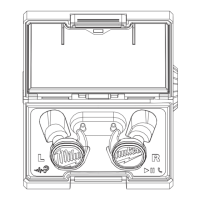
  • Hearing Protection: Designed to reduce noise exposure in loud environments, helping to prevent hearing loss. The Noise Reduction Rating (NRR) is 25 dB for the foam tip and 22 dB for the silicone tip, with a C-weighted ambient sound pressure level of 500 Hz.
  • Bluetooth® Connectivity: Allows wireless connection to Bluetooth®-enabled devices for audio streaming (music, podcasts) and hands-free calling.
  • Jobsite Aware Mode: An auxiliary microphone feature that allows users to hear ambient sounds and communicate with co-workers without removing the earbuds. When background noise reaches high levels, the mode actively reduces volume to decrease the intensity of these sounds.
  • Music Controls: Play/pause, skip tracks (next/previous), and adjust volume directly from the earbuds or the connected Bluetooth® device.
  • Call Management: Answer, hang up, and reject incoming calls using the earbud buttons.
  • USB Charging: The earbuds are charged within their case, which itself is powered via a USB-C port. The case also houses a REDLITHIUM™ USB battery pack for extended use.

Important Technical Specifications

  • Cat. No.: 2191-20
  • USB Input Volts: 5 VDC
  • USB Input Current: 0.1 - 2.1 A
  • REDLITHIUM™ USB Batteries: 4 DC
  • Operating Temperature: 0°C to 40°C (32°F to 104°F)
  • Battery and Charge Temperature: -20°C to 60°C (-4°F to 140°F)
  • Bluetooth® Identification Declaration: D081113
  • FCC ID: 25187-219120/P36-19120
  • Bluetooth® Declaration ID: D081113
  • Noise Reduction Rating (NRR): 25 dB (foam tip), 22 dB (silicone tip). The user's exposure to noise, when wearing hearing protectors, is approximately 70 dBA when the ambient sound level is 92 dBA and the NRR is 22 dB.
  • Frequency (Hz) for Attenuation:
    • Silicone Tip (ANSI S3.19 - 1974):
      • 125 Hz: Mean Attenuation 31.3 dB, Standard Deviation 4.0 dB
      • 250 Hz: Mean Attenuation 29.4 dB, Standard Deviation 3.4 dB
      • 500 Hz: Mean Attenuation 32.9 dB, Standard Deviation 5.2 dB
      • 1000 Hz: Mean Attenuation 28.8 dB, Standard Deviation 4.3 dB
      • 2000 Hz: Mean Attenuation 31.3 dB, Standard Deviation 3.6 dB
      • 3150 Hz: Mean Attenuation 34.6 dB, Standard Deviation 3.6 dB
      • 4000 Hz: Mean Attenuation 35.9 dB, Standard Deviation 4.6 dB
      • 6300 Hz: Mean Attenuation 39.8 dB, Standard Deviation 4.5 dB
      • 8000 Hz: Mean Attenuation 43.0 dB, Standard Deviation 4.3 dB
    • Foam Tip (ANSI S3.19 - 1974):
      • 125 Hz: Mean Attenuation 29.9 dB, Standard Deviation 4.7 dB
      • 250 Hz: Mean Attenuation 27.8 dB, Standard Deviation 4.3 dB
      • 500 Hz: Mean Attenuation 32.5 dB, Standard Deviation 4.5 dB
      • 1000 Hz: Mean Attenuation 34.3 dB, Standard Deviation 4.1 dB
      • 2000 Hz: Mean Attenuation 35.3 dB, Standard Deviation 3.9 dB
      • 3150 Hz: Mean Attenuation 38.1 dB, Standard Deviation 5.0 dB
      • 4000 Hz: Mean Attenuation 41.5 dB, Standard Deviation 5.5 dB
      • 6300 Hz: Mean Attenuation 45.3 dB, Standard Deviation 2.7 dB
      • 8000 Hz: Mean Attenuation 53.7 dB, Standard Deviation 3.8 dB

Usage Features

  • Charging:
    • Earbuds: Charge when properly seated in the case with a charged REDLITHIUM™ USB battery pack inserted. Indicator lights show charge status (Red Solid: 0-5%, Yellow Solid: 6-53%, Green Solid: 54-100%). If the case is plugged into a power source without a battery pack, the earbuds will still charge, and the case charge indicator will flash red/green.
    • Battery Pack: The REDLITHIUM™ USB battery pack is installed by twisting the cap counter-clockwise to unlock the compartment, aligning arrows, inserting the pack, and twisting clockwise to lock.
    • Case: Plug a USB-C cable into the port on the case. The case charge indicator light shows charging status (Flashing Red: Low battery, Slow Flashing Red: Charging, Slow Flashing Yellow: Charge complete, Solid Green: Full charge). Red/Green intermittent flashing indicates battery/charger is too hot/cold or damaged.
  • Earbud ON/OFF: Earbuds automatically turn on when removed from the case. Pressing either earbud button for 3 seconds manually turns them ON or OFF. Placing them back in the case turns them OFF.
  • Auto-off Mode: Earbuds turn off after 30 minutes if disconnected from Bluetooth®, music is not playing, or Jobsite Aware Mode is off.
  • Low Battery: A tone plays 10 minutes before shutdown and again when the battery is dead.
  • Pairing with Bluetooth®:
    • Automatically enters pairing mode when first removed from the case or if no Bluetooth® device is connected.
    • To manually pair, press and hold both earbud buttons for 5 seconds to turn ON and connect to a device. A 3-chime tone confirms pairing.
    • Select "REDLITHIUM USB Jobsite Earbuds" on the Bluetooth® device.
  • Fitting Ear Tips:
    • Remove adhesive film from charging contacts before first use.
    • Gently pull to remove ear tips; push until snug to install.
    • Silicone Tip: Position ear tip, pull ear outward/upward, insert into ear canal. Adjust for noise reduction.
    • Foam Tip: Roll foam tip into a thin cylinder, pull outer ear up/back, insert into ear canal, and hold for at least 40 seconds to allow expansion.
    • Check fit: Voice should sound louder, deeper, and hollow.
    • WARNING: Rapid removal can damage the eardrum. Remove slowly with a twisting motion to gradually break the seal.
  • Installing/Removing Ear Wings/Bands: Optional for a secure fit. Ensure the correct L/R side is used, aligning the notch indentation on the earbud with the notch on the ear wing/band. Pull off to remove.
  • Jobsite Aware Mode: Press the left earbud button once to turn ON/OFF. Double-press the left earbud button to cycle through low, medium, and high volume settings.

Maintenance Features

  • General Maintenance:
    • Always disconnect the charger and remove the battery pack before any maintenance.
    • The charger and battery pack have no internal serviceable parts. Never disassemble them.
    • Store the charger and battery pack in a cool, dry place.
    • Do not immerse the tool, battery pack, or charger in fluid.
    • Do not use oil or solvents to clean the battery.
  • Earbud Cleaning: Gently clean earbuds after each use. Remove ear tips and wipe earbuds with a soft, damp cloth. Do not immerse. Do not remove the mesh. Avoid using sharp objects to clean the earbud inlet.
  • Case Cleaning: Keep the case free of debris to ensure proper earbud charging contact.
  • Ear Tip Inspection and Replacement: Inspect ear tips before use. Discard if cracked, torn, dirty, hard, or deformed. Replace if damaged or no longer hold firmly in place. Wash ear tips with mild soap and warm water as needed.
  • Troubleshooting:
    • Factory Reset: Place both earbuds in the case, ensure they illuminate, then rapidly press each earbud button 4 times. Earbuds will flash quickly, indicating a reset.
    • Pairing Earbuds: After a factory reset, take both earbuds out of the case and place them close to each other. They will pair automatically. If earbuds flash red and green, an error occurred; repeat the factory reset and re-pairing instructions.
  • Repairs: Return the tool, battery pack, and charger to the nearest authorized service center for repairs.
  • Disposing of REDLITHIUM™ Li-Ion Battery: Dispose of according to federal, state, and local regulations. Contact a recycling agency for locations. Cover terminals with electrical tape before disposing to prevent shorting.
  • RBRC Battery Recycling Seals: The RBRC™ seal indicates that MILWAUKEE has arranged for recycling of the battery with the Rechargeable Battery Recycling Corporation (RBRC). Return to a MILWAUKEE Branch Office/Service Center or participating retailer.

Milwaukee REDLITHIUM 2191-20 Specifications

General IconGeneral
BrandMilwaukee
ModelREDLITHIUM 2191-20
CategoryHeadphone
LanguageEnglish