14
Keypad Functions
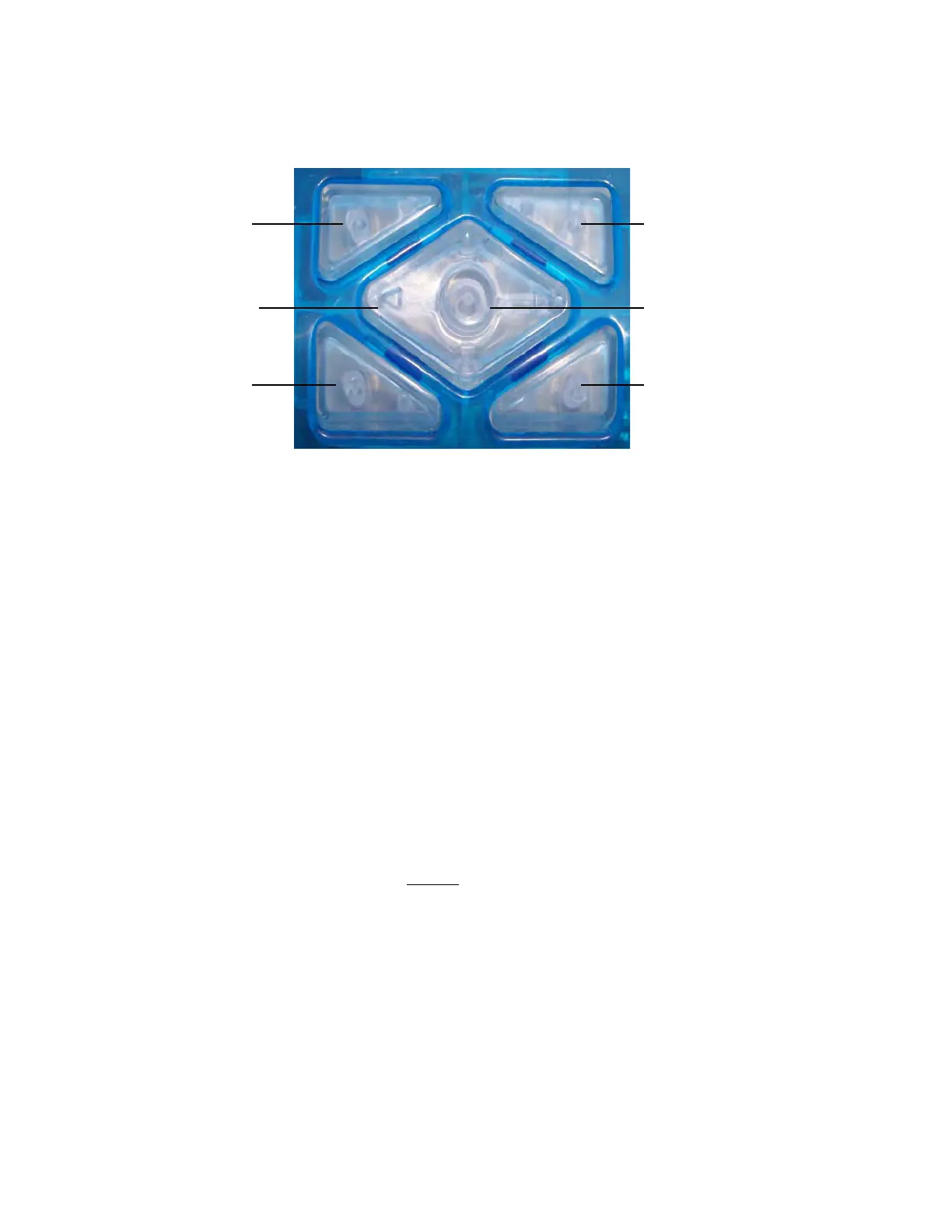
The iLightz has 9 total keys: 4 are on the outer perimeter and the center is a 5-way keypad.
The following are general navigation guidelines for the keys:
• Pressing any key will turn the unit “on” and display the welcome screen.
• Press any key again and the main menu is displayed.
• Generally, the outside keys will navigate up and down as will the up/down center keys.
The top two outside keys move up and the two bottom keys move down (our unit is am-
bidextrous).
• When in manual mode the outer keys act to change the value of the selected parameter
up/down.
• When running a program the right outer keys control the “volume” of the iLightz sound.
The left outer keys control the “brightness/intensity” of the glasses. This is so a user can
change these parameters without having to look at the keypad.
• The round center key always acts as an “enter/select” key EXCEPT if pressed and held
for more than 2 seconds which always turns unit off.
• You can also turn the unit off by selecting “power off” from the main menu.
• The “left” center key always acts as an ”escape/back” key. The only exception is when
you are in the manual mode it acts as a simple “left” directional key.
• All menus will “roll over”. In other words, if you are at the top of a menu list and press
one of the “up” buttons, the cursor will “roll over” and drop to the bottom of the menu.
• When in the “manual mode” you must use the 5-way center keys to navigate and the
outer keys to adjust the values. Pressing the center key will “return/escape” you out of
the manual mode.
USE TOP LEFT KEY FOR:
SCROLL UP
BRIGHTNESS UP
USE THE LEFT CENTER
KEY AS THE ‘BACK’ KEY
USE BOTTOM LEFT KEY FOR:
SCROLL DOWN
BRIGHTNESS DOWN
USE TOP RIGHT KEY FOR:
SCROLL UP
VOLUME UP
USE 5-WAY CENTER KEYS FOR:
TOP CENTER—UP
BOTTOM CENTER—DOWN
CENTER KEY—ENTER / SELECT
LEFT CENTER KEY—BACK ONE
STEP
USE BOTTOM RIGHT KEY FOR:
SCROLL DOWN
VOLUME DOWN



 To Next Page