110
Procedures
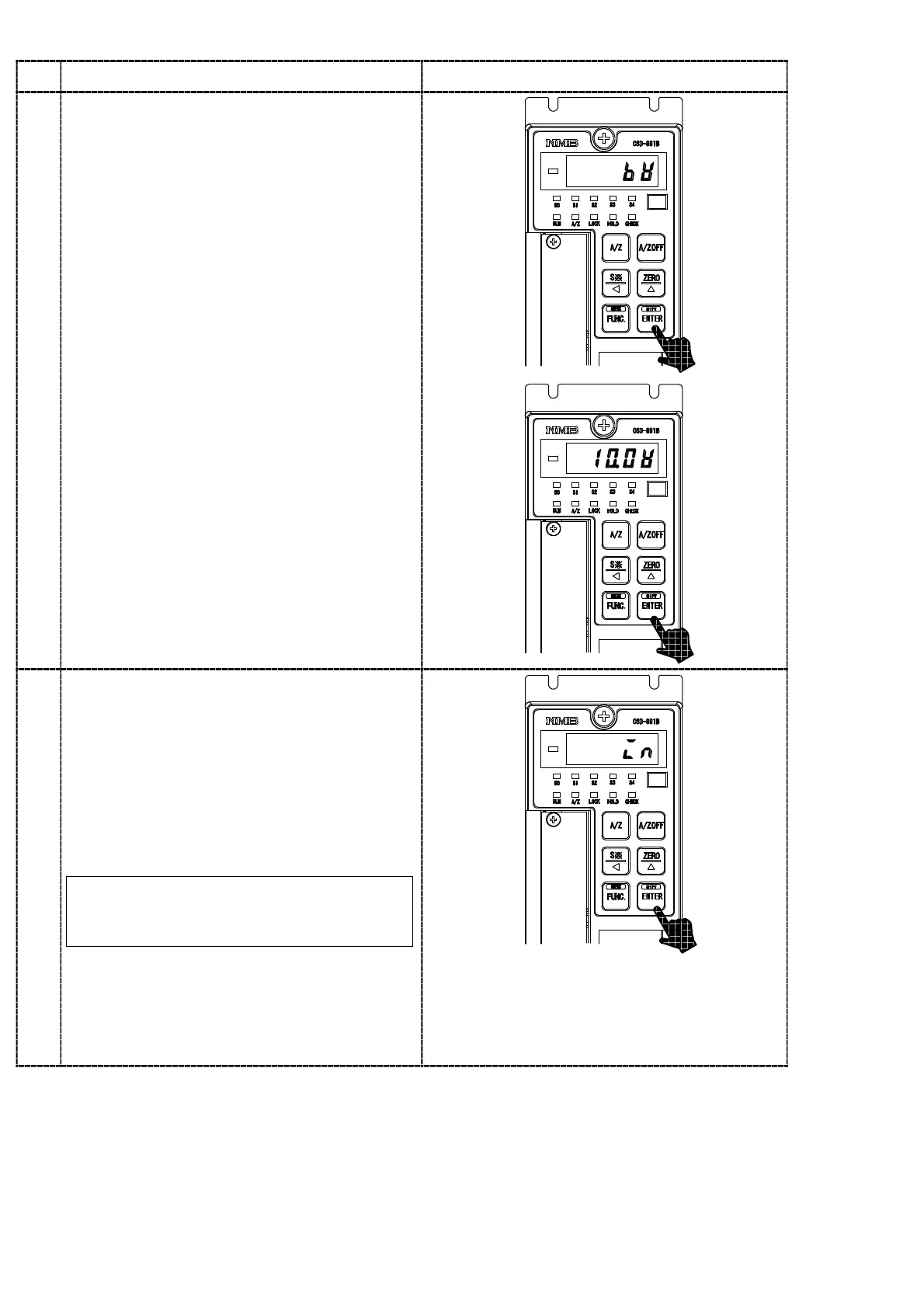
・Check on the bridge power supply voltage
Press the
key.
The load display shows “bV”.
By pressing the
key again, the bridge
power supply voltage selected at present is
shown on the load display section.
5
6
・Check on the external control input
Press the
key.
The load display shows “IN”.
By pressing the
key again, the load
display section changes into the “IN” flashing
on and off.
At the same time, the ON/OFF condition of
external control input signal can be monitored
on the Status display LED.
As the input from the key is not accepted
during the LOCK input, set the LOCK
input OFF after the confirmation.
RUN display :ZERO input
HOLD display :HOLD input
A/Z display :A/Z input
CHECK display:A/Z OFF input
LOCK display :LOCK input


 To Next Page