58
● This calibration method is possible when the optional RS−232C
interface or the RS−422/485 interface is mounted.
● When RS−232C interface is used, the ID No. becomes “00”.
● During the calibration, to interrupt the calibration “Calibration mode
interruption command” is transmitted, or press the key.
The calibration data is kept as before entering the calibration and
returns to the measurement mode.
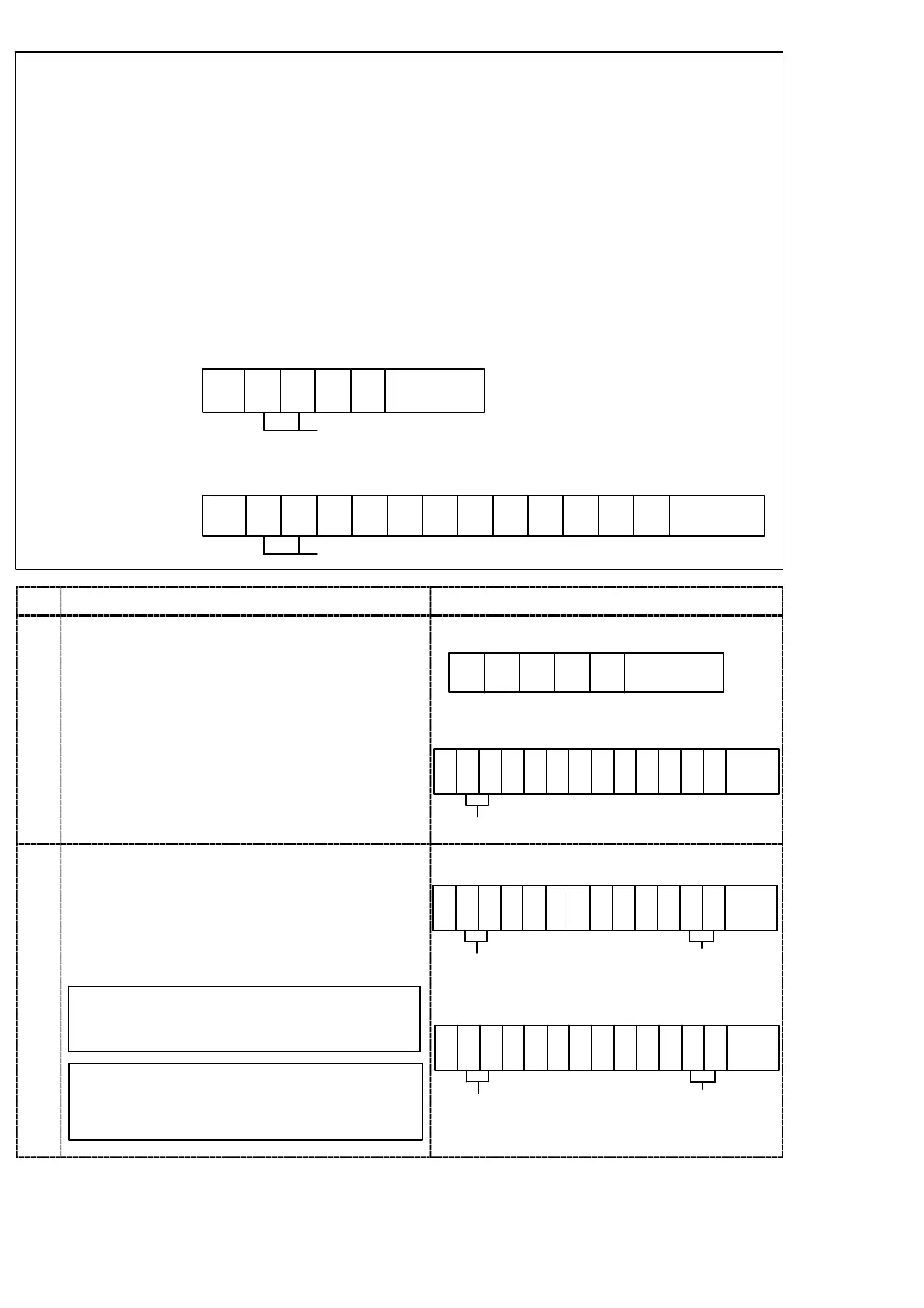
@ 0 0 0 0 Terminator
246
@ 0 0 0 0 Terminator
2468101214
Command Host→CSD−891B
Return CSD−891B→Host
ID number
ID number
Procedures
1
Transmit the start command of the calibration
mode from the host.
The display in the load display section displays
“−RS−” and “SCAL” alternately.
246
@ 0 0 0 2 Terminator
Command Host→CSD−891B
2 4 6 8 10 12 14
@ 0 0 0 2 A C A L Termi
ID No.
Return CSD−891B→Host
-nator
2
Transmit the change command of the minimum
digits from the host, and set the minimum digits
The set value of the minimum digits is 4 kinds as
follows;
1, 2, 5, 10
The display in the load display section displays
“−RS−” and “DISP” alternately.
Don’t attach the decimal point to the
setting value in the command data.
The setting value in the command data is
put from the right, and an unnecessary
space is given as space.
The minimum digits
2 4 6 8 10 12 14
@ 0 0 1 0 1 Termi
ID No.
Command Host
CSD−891B
2 4 6 8 10 12 14
@ 0 0 1 0 1 Termi
ID No.
Return CSD−891B→Host
The minimum digits
-nator
-nator


 To Next Page
 Loading...